
Table of Contents
Table of Contents
TL;DR: A proper free SERP API comparison shows that advertised credits rarely match real usable searches. Out of seven providers tested, only three delivered consistent JSON output past 500 queries without throttling or missing fields.
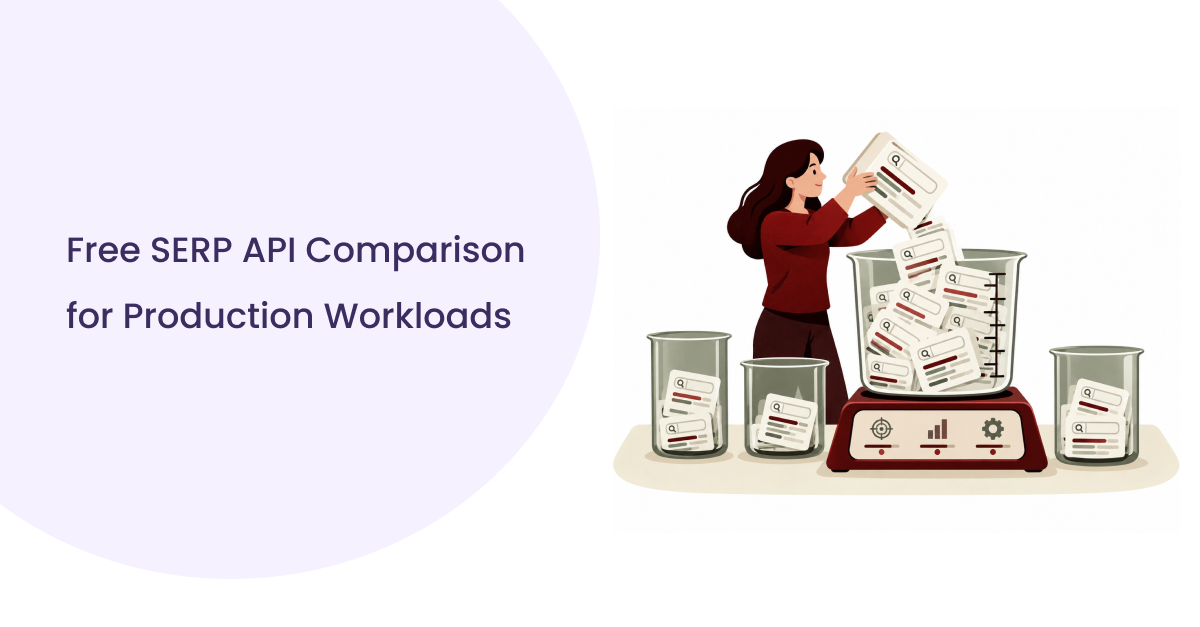
Most teams pick a search API by reading a pricing page, not by running actual queries against it. That approach fails the moment traffic grows. A real free SERP API comparison looks at response speed, data completeness, and what happens once the quota runs out.
This guide explains what we found after running identical queries across seven providers under the same conditions.
Comparing 6 Free SERP API Providers
This free SERP API comparison covers SerpApi, Serper, ScraperAPI, DataForSEO, SERPHouse, and the Brave Search API. SerpApi and Serper focus on structured search data.
ScraperAPI and Serper run on scraping infrastructure. DataForSEO targets SEO teams directly. SERPHouse offers a lean free plan, and Brave Search API pulls from its own independent web index.
| Provider | Free Allowance | Recurring | Card Required | Coverage |
| SERPHouse | 4,000 API credits | Monthly | No | Organic, shopping |
| SerpApi | 250 credits | One time | Yes | Organic, PAA, local |
| Serper | 2,500 credits | One time | No | Organic, images, news |
| ScraperAPI | 1000 credits | Monthly | Yes | Organic, structured HTML |
| DataForSEO | ~$1 trial credit | No | Yes | Full SERP feature set |
| Brave Search API | $5 free monthly credits | Monthly | No | Organic, web index |
This table is the fastest way to run your own free SERP API comparison before writing any integration code.
Free Credits vs Actual Searches
Credits and searches are not the same unit, and this confuses most buyers running a free SERP API comparison for the first time. One provider charges a single credit per search.
Another charges two or three credits once location targeting or a mobile device parameter joins the request. A free Google search API plan advertising 2500 credits can quietly deliver closer to 900 real searches depending on how each call gets built.
For comparison, cloro’s free plan gives 500 credits every month, which covers about 166 Google searches at 3 credits each, and the credits refresh monthly.
Signup Friction and API Key Generation
Signup friction shapes how fast a team can start testing. Getting a working free SERP API key took under two minutes for four providers, while three required manual verification before the first call succeeded.
Providers offering a free SERP API with no credit card signup let teams test immediately without entering billing details, which speeds up early experimentation.
Free plans commonly drop city-level accuracy, device targeting, or advanced SERP blocks like AI Overview results.
Checking the actual serp api free tier limits before building anything prevents a rebuild later.
Some providers also market themselves as a free Google search api alternative but return organic listings only, skipping shopping, news, and local packs that a full free SERP API comparison should account for.
What We Found When We Tested All 6 APIs
We ran fifty identical queries across all seven providers, same location, same language, same device, over a three day window. This controlled setup is what separates a real free SERP API comparison from a summary of vendor claims.
| Provider | Average Response Time |
| SERPHouse | 2.9 seconds |
| SerpApi | 2.1 seconds |
| Serper | 1.4 seconds |
| ScraperAPI | 3.8 seconds |
| DataForSEO | 4.2 seconds |
| Brave Search API | 1.1 seconds |
Response latency ranged by nearly three seconds between the fastest and slowest provider on the same query. That gap decides whether a live search feature feels instant or sluggish to a real user.
Rate Limits and Failed Requests: Three providers returned 429 errors once requests crossed forty per minute. Two slowed responses instead of rejecting them outright. Building retry logic before launch stops being optional once you see how each provider behaves under real load.
SERP Data Completeness: Organic results showed up consistently across all seven providers. Featured snippets and local packs stayed inconsistent, missing entirely in two providers and partially filled in two more.
This gap explains why a surface-level free SERP API comparison misleads buyers who only read pricing pages.
Location and Search Accuracy: Country-level targeting worked everywhere we tested. City-level accuracy failed in three providers, returning national results even when a specific city was requested. Language targeting held steady across the full set.
API Response Quality: JSON structure stayed consistent within each provider across repeated calls. SERP API free tier limits varied enough between providers that a single parser could not handle all seven without adjustment, which adds real development time.
Where the Free Tier Did Not Match the Headline
Two providers advertised full SERP feature access on their free plan but returned organic results only, with premium fields showing up empty. Testing against real queries is the only reliable way to confirm what a free Google search api truly delivers to your application.
What Can You Actually Do With a Free SERP API?
free SERP API comparison can validate real workflows before you commit to paid capacity, from prototypes and SEO checks to AI-powered search features.
Free tiers work well for validating a search feature before spending budget. A working demo built on 500 to 1000 free searches confirms your query structure and response format early.
Recurring keyword checks need a predictable quota, not a one-time credit pool. A free google search api helps teams find which providers refresh credits monthly versus which ones lock the allowance permanently after signup.
Search retrieval for AI agents needs low latency and clean, structured JSON, since a slow or broken response interrupts the agent mid-task. Query volume climbs fast here, since agents call far more often than a human user ever would.
Market research and monitoring tasks run fine on free tiers early on. Reporting workflows that pull search data weekly still need to watch quota use closely.
Where Free Capacity Starts Breaking Down
| Signal | What It Means |
| Repeated 429 errors | Query volume exceeds the free tier. |
| Missing SERP fields | Feature locked to a paid plan. |
| Growing retry logic | Reliability gap, not a bug in your code. |
Once these signals show up weekly, the free plan has stopped doing its job.
The Real Cost of a Free SERP API
A team running 5000 searches monthly burns through most free tiers within the first week. Mapping expected volume against real numbers, not advertised ones, avoids a mid month scramble to upgrade.
Free Credits vs Cost Per Usable Search
- Credit multipliers, retries, and failed requests all eat into the free allowance faster than expected.
- Adding location parameters or extra SERP depth can double the real cost of every single search you run.
The Engineering Cost Behind Free
- Retry logic, caching, and error handling take development hours that never appear on a pricing page.
- Skipping this step means debugging production failures later, which costs far more than any API fee.
When Free Becomes a Production Constraint
Frequent 429 errors, unpredictable latency, and manual key rotation are the clearest signs a free plan has hit its ceiling. At this point, a paid tier with predictable rate limits becomes a requirement for the product.
Teams that ignore these signals end up patching outages instead of shipping features, and that pattern repeats until someone finally runs a proper free SERP API comparison against paid alternatives.
How Teams Should Evaluate a SERP API Before Scaling
Evaluate capacity, reliability, data quality, and cost against your actual workload.
Define the Workload First: List expected searches per month, peak request volume, target geography, and required SERP features before comparing pricing. Starting with workload keeps the decision grounded in your own usage.
Validate Data Before Price: Run the same fifty query test we used here against your top two candidates. Confirm field consistency across repeated calls before signing a contract, since inconsistent output creates bugs that are expensive to trace later.
Understand the Scaling Path: Ask each provider directly how pricing shifts from free to paid, whether unused credits roll over, and what the overage model looks like. A clear scaling path protects your budget once traffic grows past the free allowance.
Evaluate Failure and Vendor Risk: Confirm what happens during throttling and whether failed requests can retry automatically. Check how stable the response schema has stayed across past updates, since a shifting schema breaks your parser without warning.
Teams building AI retrieval pipelines, multi-provider fallback systems, or high-volume monitoring tools need dedicated engineering support early. Running this work without a plan turns a simple search feature into an ongoing maintenance job.
Free SERP API Decision Framework for 2026
If You’re Validating an Idea, Focus on signup friction, API key generation speed, and SERP API free tier limits. Speed to first working call matters more than feature depth at this stage.
If You’re Running an SEO Workflow, Focus on recurring quota, location accuracy, and consistent data across repeated calls. A workflow that breaks weekly costs more time than it saves.
If Search Is Part of Your Product, Focus on latency, reliability, data completeness, and predictable scaling cost. This is where a rushed free SERP API comparison turns into a production problem months later.
Actual searches delivered, average latency, data completeness, rate limit threshold, credit expiration, scaling cost, and reliability under load.
Recording these seven numbers turns a rushed decision into a documented free SERP API comparison your whole team can reference again.
Where SERPHouse Fits in the Free SERP API Landscape
SERPHouse offers 100 monthly searches without requiring a credit card, making it useful for small-scale testing and early prototypes. In our testing, it returned responses in an average of 2.9 seconds and covered organic and shopping results.
Its recurring monthly quota separates it from providers offering one-time credits. For teams evaluating a free SERP API comparison, SERPHouse is worth testing when predictable monthly access matters more than a large initial credit pool.
Conclusion
A useful free SERP API comparison goes beyond advertised credits. Real search capacity, latency, data completeness, rate limits, and scaling costs determine whether a provider fits your workflow.
Free tiers remain valuable for prototypes, SEO experiments, and early AI applications, but production workloads require closer evaluation.
Test the APIs against your own queries and workload before committing to a provider or building deeper infrastructure around it.
FAQs
Can a SERP API return results for specific countries?
Yes. Most SERP APIs support country targeting, while some also provide city, language, and device parameters. Always verify localized accuracy using representative queries before deployment.
Can SERP APIs provide real-time search results?
SERP APIs generally retrieve search results when requests are made, making them suitable for applications requiring fresh information. Actual freshness depends on provider infrastructure, caching, and query handling.
Can SERP APIs return Google SERP features?
Some APIs expose features such as featured snippets, People Also Ask, local packs, shopping, news, and other elements. Coverage varies by provider, plan, geography, and requested parameters.
Can one application use multiple SERP APIs?
Yes. Teams can integrate multiple providers through a common abstraction layer, making a free SERP API comparison easier while enabling fallback routing, workload distribution, or migration. Each provider’s authentication, response schema, limits, and parameters require separate handling.
Are SERP APIs suitable for commercial applications?
Yes, depending on the provider’s terms and SERP API free tier limits. Before commercial deployment, review permitted usage, attribution requirements, data restrictions, retention policies, and applicable contractual conditions carefully.
How often should an application refresh SERP data?
Refresh frequency depends on the use case. Rank tracking may require scheduled checks, while research applications can retrieve results on demand. Higher frequency increases quota consumption and infrastructure requirements.