
Table of Contents
Table of Contents
TLDR; A rank tracker for agencies only pays for itself when it replaces manual spreadsheet work with a structured, repeatable process: isolated client workspaces, organized keyword sets, location and device coverage, competitor context, and reports that go out on schedule without a rebuild each month.
Most agencies do not lose client trust because rankings drop. They lose it because reporting is late, inconsistent, or wrong. A missed keyword in one client’s spreadsheet, a location that never got configured, a report format that changes every quarter these are the failures that actually show up in churn conversations. Rank tracking, handled well, is not about watching positions move. It is about giving an agency a process it can run the same way for client five and client fifty.
Why Agencies Need a Different Rank Tracking Workflow
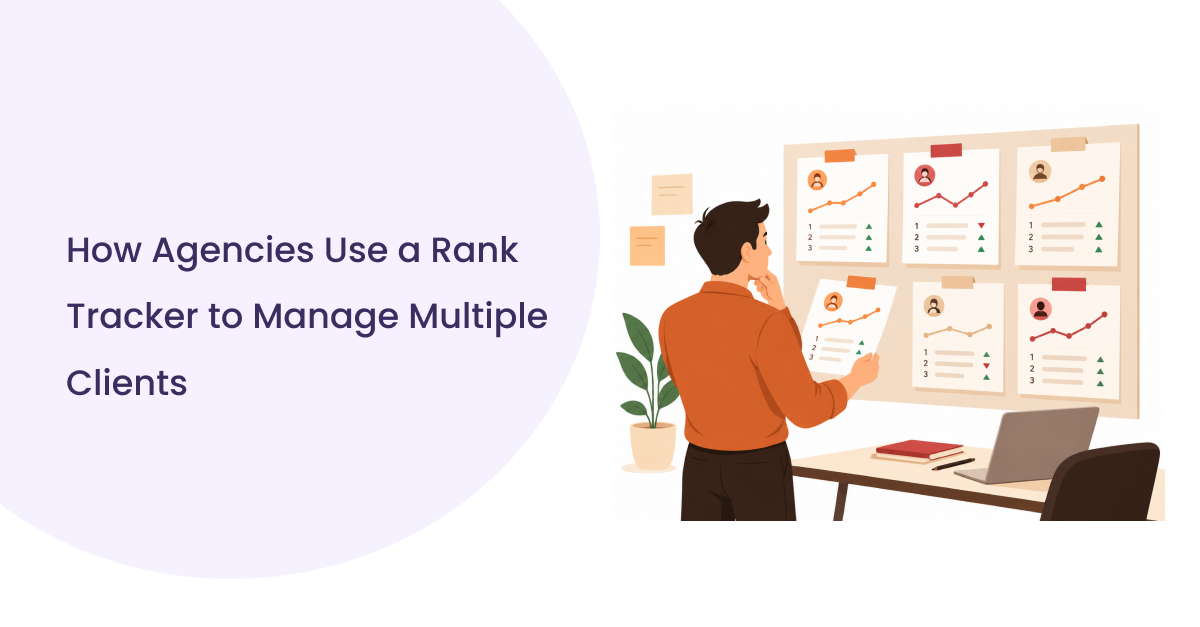
Agencies manage separate keyword sets, locations, and reporting cadences for every client at once, so a workflow built for one website breaks down the moment a second, third, or tenth account gets added without a system to isolate them.
A single in-house SEO team can track fifty keywords in one spreadsheet tab and move on. An agency doing the same thing across fifteen clients ends up with fifteen tabs, fifteen different formatting conventions, and no consistent way to tell which client is overdue for a report. The problem is not tracking rankings; that part is straightforward. The problem is doing it the same way, on the same schedule, for every account, without someone manually rebuilding the process each time.
This is where multi-client rank tracking becomes a structural requirement rather than a nice-to-have. Without campaign separation, keyword lists blend together, historical data gets overwritten, and account managers spend more time reconciling spreadsheets than analyzing what actually changed.
What should an agency rank tracker actually track?
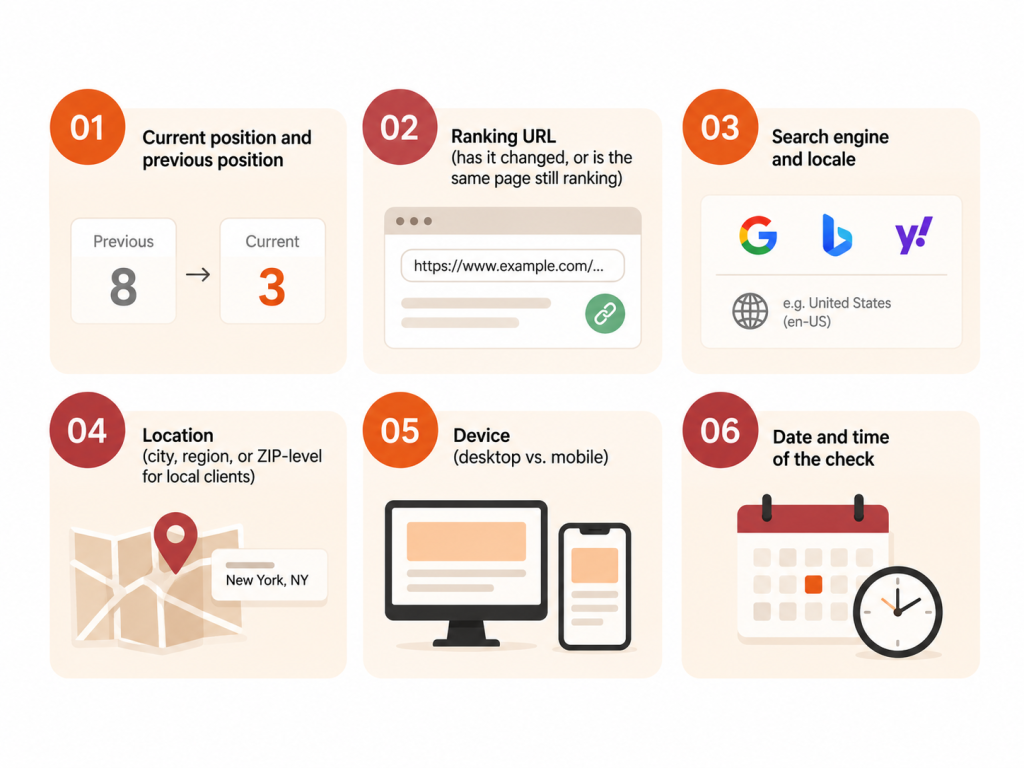
It should capture current and previous position, the exact ranking URL, search engine, location, device, and timestamp for every tracked keyword, so ranking changes can be explained rather than just observed.
Position alone tells an account manager almost nothing. A keyword dropping from position 4 to position 9 means something different if the ranking URL also changed, if a competitor’s page moved into a featured snippet, or if the drop only shows up on mobile. A useful SEO agency reporting tool captures the full context around each ranking, not just the number:
- Current position and previous position
- Ranking URL (has it changed, or is the same page still ranking)
- Search engine and locale
- Location (city, region, or ZIP-level for local clients)
- Device (desktop vs. mobile)
- Date and time of the check
Without that context, a report becomes a list of numbers that moved, with no way to explain why.
How to Set Up Multi-Client Rank Tracking
Each client needs an isolated workspace with its own keyword groups, location and device settings, and competitor list, so no single account’s data can leak into another client’s report.
Organize Keywords by Client and Search Intent
Every client workspace should separate keywords by type before tracking begins: branded, non-branded commercial, local, and informational. This is not just organizational tidiness; it directly determines what shows up in a client report. A branded keyword ranking well tells a client almost nothing about SEO progress; a non-branded commercial keyword climbing three positions is the kind of movement worth explaining. Grouping keywords this way at setup avoids the more painful alternative: sorting through a flat, unlabeled list every time a report is due.
Configure Locations and Devices
Location configuration matters most for any client with more than one service area. A dentist with three clinic locations needs rankings checked from each city, not from wherever the tool defaults to. The same applies to device mobile and desktop results diverge more than most reports acknowledge, particularly for local queries where map packs and “near me” results behave differently by device. Skipping this step produces rankings that do not match what the client’s actual customers see when they search.
Track Competitors Alongside Client Rankings
Competitor rankings give client rankings context. A keyword holding steady at position 6 looks very different if a competitor just moved from position 12 to position 5 than if the competitive set barely shifted. Competitor tracking does not need to cover every rival; two or three consistently relevant competitors per client keyword group is usually enough to add meaningful context without turning the report into a competitive audit.
How to Build a Repeatable Client Reporting Workflow
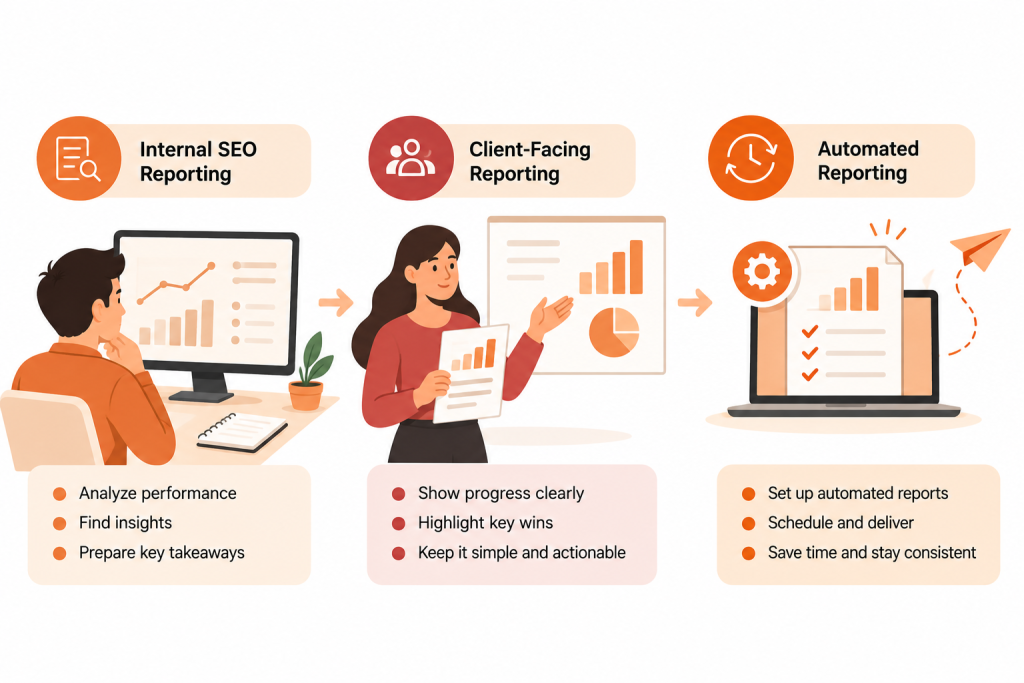
By separating what internal teams monitor from what clients actually see, then automating the recurring parts the pull, the comparison, and the formatting- so only the analysis requires a person.
Internal SEO Reporting
Internal reports can and should be dense: full keyword lists, every ranking URL, granular SERP changes, competitor detail, and complete historical data. This is the working layer the data an SEO strategist actually uses to decide what to fix next.
Client-Facing Reporting
Client reports need the opposite treatment. Reporting every tracked keyword overwhelms most clients and buries the changes that actually matter under noise they cannot interpret. A client report should focus on: overall visibility trend, the ranking movements that matter to the business, losses that need explaining, and a short list of next actions. Fewer, better-chosen data points build more client confidence than an exhaustive dump of every keyword’s position.
Automated Reporting
The gap between internal and client reporting is exactly where automation earns its keep. Once keyword groups and reporting logic are set up once per client, the same comparison and formatting logic can run on a schedule instead of being rebuilt by hand every reporting cycle.
How White-Label Rank Tracking Fits Into Agency Operations
A white label rank tracker keeps the agency’s identity in front of the client at every touchpoint, which reinforces the value the agency provides instead of promoting the underlying tool the agency happens to use.
When agencies evaluate white-label capability, the questions worth asking go beyond “can I add my logo.” Relevant considerations include:
- Whether client-facing reports can be branded and exported under the agency’s own name
- Whether clients can be given limited, controlled access without seeing other clients’ data
- Whether report formatting and cadence can be customized per client
- Whether the agency retains ownership of the underlying ranking data if it switches tools later
Not every rank tracking platform handles all of these the same way, so this is a genuine evaluation criterion rather than a checkbox.
How to Automate Rank Tracking With an API
By pulling ranking data on a schedule through an API, storing it alongside historical data, calculating changes automatically, and feeding the result into whatever reporting format the agency already uses.
A realistic automated workflow looks like this:
- Client keyword list (with location, device, and search engine parameters) is stored per client
- A scheduled job requests current SERP data through an API call
- Ranking data is collected and compared against the previous stored snapshot
- Ranking changes are calculated as position moves, new rankings, and lost rankings
- Results are written into a report template or dashboard
- The report is delivered to the client or account manager on a set schedule
Tools like n8n, Make.com, or a scheduled script that hits a SERP API via a cron job can handle steps two through five without manual intervention. The agency’s job shifts from “pull the data” to reviewing what the data means, a meaningfully different and more billable use of an SEO strategist’s time.
A Practical Multi-Client Rank Tracking Workflow
It moves from client workspace setup through keyword collection, location and device configuration, scheduled data collection, competitor comparison, and automated reporting, with white-labeling layered on top of the client-facing output.
The 10-step version:
- Create an isolated client workspace
- Add target keywords, grouped by intent
- Configure locations relevant to that client
- Configure device tracking (desktop, mobile, or both)
- Collect ranking data on a schedule
- Monitor two or three relevant competitors
- Analyze changes: gains, losses, new rankings, stable rankings
- Generate the report from a standard template
- Apply agency branding to the client-facing version
- Automate the recurring parts so the cycle repeats without manual rebuilding
This sequence is a practical recommendation based on how agencies commonly structure operations, not an industry-mandated standard.
What to Look for in a Rank Tracker for Agencies
Beyond basic position tracking, agencies need multi-client structure, reliable location and device targeting, historical data retention, competitor tracking, API access for automation, and a realistic path to white-label client reporting.
| Capability | Why Agencies Need It | What to Look For | Potential SERPHouse Role |
| Multi-client campaigns | Keeps client data isolated | Separate workspaces per client | Structured per-client API requests with distinct keyword/location sets |
| Keyword tracking | Core function | Position, URL, history per keyword | SERP position and ranking URL data via API |
| Location tracking | Local and multi-location clients | City, region, ZIP-level targeting | Location-specific SERP data down to city or ZIP level |
| Device tracking | Mobile/desktop results diverge | Separate desktop and mobile results | Device-specific SERP responses |
| Historical data | Trend analysis, client retention | Retained history, not just current snapshot | Data can be stored by the agency for its own historical record |
| Competitor tracking | Adds context to client rankings | Track competitor positions for shared keywords | Same API calls can target competitor domains |
| API access | Enables automation | Documented, stable API | REST API with structured JSON responses |
| Bulk processing | Scales beyond a handful of clients | Batch or bulk keyword requests | Bulk request support for large keyword sets |
| Automated reporting | Reduces manual work | Scheduling or webhook support | Data feeds into scheduled workflows (n8n, Make.com, custom scripts) |
| White-label reporting | Protects agency branding | Client-facing export under agency name | Agency builds white-label layer on top of the raw SERP data |
| Data export | Ownership and portability | CSV/JSON export, no lock-in | JSON output usable in any downstream system |
| Automation integrations | Fits existing agency stack | Compatibility with Sheets, Zapier, n8n, etc. | Keyword Rank Tracker Google Sheets add-on, API-based integrations |
How can SERPHouse fit into an agency’s rank tracking workflow?
SERPHouse provides structured, location- and device-specific SERP data through an API, which agencies can feed into their own dashboards, spreadsheets, or reporting systems rather than rebuilding a scraping process by hand.
For agencies already managing multiple client keyword sets, the relevant SERPHouse capabilities are the ones that support the workflow described above: Google search result data with location targeting down to the city or ZIP code, desktop and mobile-specific results, structured JSON output built for automation rather than manual copy-paste, and bulk request support for larger keyword volumes. SERPHouse also offers a Keyword Rank Tracker add-on for Google Sheets, which gives smaller agencies a lower-friction entry point before building a custom dashboard.
SERPHouse functions as the data layer in this workflow, the part that answers “where does this keyword rank, from this location, on this device, right now.” What an agency builds on top of that data the client workspaces, the white-label formatting, the report cadence remains the agency’s own system. Full technical details are available in the API documentation.
Common Agency Rank Tracking Mistakes
The most common failures are mixing client keyword sets, skipping location configuration for local clients, sending clients the same raw data internal teams use, and rebuilding the reporting process manually every cycle instead of automating it once.
A few patterns show up repeatedly:
- Tracking rankings from a single default location for clients with multiple service areas
- Sending clients a full keyword list instead of the handful of changes that matter to their business
- Losing historical data when switching tools, which erases the trend line clients rely on for retention conversations
- Treating white-labeling as a cosmetic afterthought instead of a setup decision made at the start of the client relationship
Ranking data also fluctuates for reasons outside any tool’s control personalization, algorithm updates, and regional search behavior all introduce natural variation, which is worth setting as an expectation with clients up front rather than explaining after the fact.
Conclusion
A rank tracker for agencies is not valuable because it checks positions faster than a person could. It is valuable because it turns a repetitive, error-prone process into something an agency can run consistently across five clients or five hundred. The agencies that get the most out of rank tracking are the ones that treat it as an operational system client workspaces, organized keywords, location and device coverage, competitor context, and reports that go out the same way every time rather than a tool they check when a client asks for an update.
agency rank tracker agency seo reporting client rank tracking enterprise rank tracker google keyword rankings Google rank tracker google search rankings Keyword position tracker keyword rank tracker keyword tracking tool multi client rank tracking rank tracking software seo agency tools SEO rank tracker serp rank tracker