
Table of Contents
Table of Contents
Typing a seed keyword into Google and writing down the predictions works for five keywords. It stops working at 500, and it gets worse when you need the same list for New York, London and Paris, each in its own language.
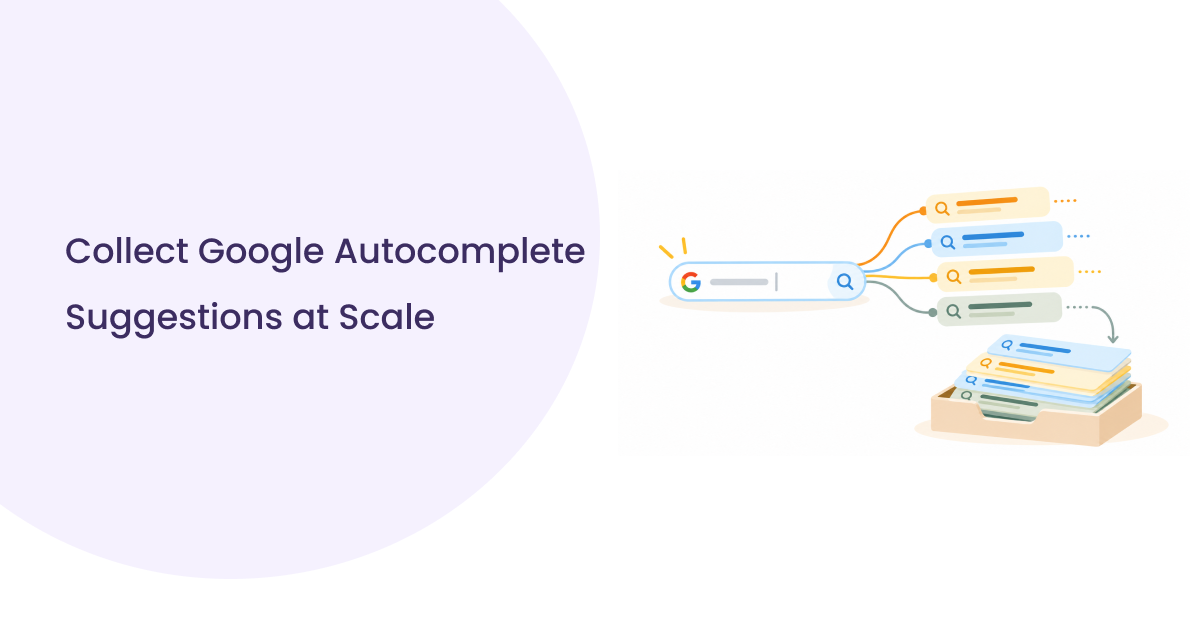
Google autocomplete suggestions show how real people phrase their searches, which makes them a good source of keyword ideas. Collecting them by hand is slow, hard to repeat and full of copy-paste errors. An API makes it repeatable: send a list of seed keywords and get back a clean dataset with each suggestion, the seed it came from and the market it belongs to.
This guide covers the whole workflow with working Python code: one request, a bulk run over hundreds of seeds, location-specific collection, data cleanup, and turning the results into a keyword research shortlist.
New to the API? If you want to know how Google’s autocomplete works before writing code, start with How the Google Autocomplete API Works. This guide is the hands-on follow-up.
What Are Google Autocomplete Suggestions?
Google autocomplete suggestions are the predicted searches that appear as someone types in Google. They reflect real searches and change with the user’s language and location. Typing “coffee” can produce different predictions in Texas and in Paris.
Autocomplete shows you what people search for, not how many people search for it. A phrase appears because Google considers it a relevant prediction. It does not come with monthly search volume, and its position in the list is not a ranking metric. Use predictions to find keyword ideas, then check them with a keyword metrics tool.
Why Collect Google Autocomplete Suggestions at Scale?
Collecting predictions for one keyword is research. Collecting them for hundreds is a data workflow that can answer bigger questions:
- Long-tail discovery. Five hundred seeds can return thousands of candidate phrases, many of them longer, specific variations that are easy to miss with manual research.
- Question mining. Phrases that start with “how,” “why,” “can” or “is” map directly to FAQs and content briefs.
- Market comparison. Each location shows how people in that market phrase their searches. This is useful for agencies with clients in several countries.
- Repeatability. The same script can run next month with the same settings, so you can compare how predictions change.
What You Need Before You Start
- A SERPHouse API key. Copy it from your dashboard and store it in an environment variable rather than in your code. See Getting Started for authentication details.
- Python 3.9+ with requests installed (pip install requests pandas; pandas is only used for the cleanup step).
- A seed-keyword list. A CSV file named seeds.csv with a seed_keyword column and one phrase per row.
- Target languages and locations. Use codes from the Languages List and exact strings from the Locations List. A location string that doesn’t match the list may fail or return results for the wrong place.
- Somewhere to store results. A CSV file is enough to start. Larger teams can load the same rows into a database or spreadsheet.
export SERPHOUSE_API_KEY=”your_api_key_here”
How to Collect Google Autocomplete Suggestions Using an API
The SERPHouse Google Autocomplete API returns Google’s predictions for a phrase as structured JSON.
- Endpoint: POST https://api.serphouse.com/google-autocomplete-api
- Authentication: Your API key as a Bearer token in the Authorization header
- Cost: 5 credits per request, and failed requests are not charged
| Parameter | Required | Description |
| q | Yes | The seed phrase to get suggestions for |
| lang | No | Language code, such as en or fr |
| loc | No | Location string from the Locations List, such as Abernathy,Texas,United States |
| client | No | Autocomplete client: chrome (default), chrome-omni, home_page, safari, firefox or youtube |
The parameters go inside a data object in the request body. Suggestions come back under results.results.suggestions, and each one has four fields:
- value: The suggested search phrase
- relevance: Google’s relevance score for the prediction
- type: The suggestion type, such as QUERY
- link: The Google search URL for that phrase
Full details are in the Google Autocomplete API documentation.
Save the following as serphouse_client.py. It holds the two functions the rest of this guide reuses: one to get suggestions, and one to look up exact location strings.
Run it with python serphouse_client.py. For the seed “coffee” in Abernathy, Texas, the API returns predictions like these:
1250 coffee near me
950 coffee shops near me
601 coffee table
600 coffee shop
560 coffee bean
Two details in this code matter later:
- A 200 response isn’t always a success. The API can return HTTP 200 with {“status”: “error”, “msg”: “Please try again”}. The function raises a RetryableError for this case so the bulk script can retry it.
- client=”youtube” returns YouTube search predictions. This is useful if you plan video content.
How to Find the Right Location Strings
Location strings must match the Locations List exactly, so look them up instead of typing them. find_locations() searches the list for you:
from serphouse_client import find_locations
for match in find_locations(“London”)[:10]:
print(match[“type”], “|”, match[“country_code”], “|”, match[“loc”])
Each result includes a loc value (the exact string to send), a type (such as City, State or Congressional District) and a country_code. Choose the row that matches the market you want and copy its loc value into your list of markets. For language codes, call GET https://api.serphouse.com/language/list/google or check the Languages List.
How to Collect Suggestions for Multiple Keywords in Bulk
The Autocomplete API takes one seed per request, so bulk collection means sending many requests in a controlled way. The script below handles the parts that usually go wrong at scale:
- Rate limiting. Standard SERPHouse plans allow 60 requests per minute. The script spaces requests out to 50 per minute across 4 parallel workers.
- Smart retries. It retries rate limits (429), server errors, timeouts and “Please try again” responses with increasing delays. It doesn’t retry 400 (bad parameters), and it stops the whole run on 401 (bad API key) or 402 (out of credits).
- Resume support. It skips seed-and-market combinations that are already in the output file, so rerunning after a failure doesn’t pay for the same requests twice.
- Clean output. It writes a CSV header once and stores the seed, location, language and timestamp on every row.
Save it as collect_autocomplete.py in the same folder as serphouse_client.py:
Before a large run, the script prints how many requests it will send and the maximum credit cost. Test it with 10 seeds and one market, check suggestions.csv, then add the rest.
Note: Seeds that return no suggestions don’t write a row, so a rerun requests them again. That costs 5 credits per empty seed. If your list has many niche seeds, remove the ones that return nothing.
How to Collect Location-Specific Autocomplete Suggestions
Autocomplete predictions change by market, so local and international research needs one run per location and language. With the script above, that means adding one entry to MARKETS for each market:
Two rules prevent most problems:
- Look up every location string. Use find_locations() or the downloadable CSV on the Locations List page, and copy the loc value exactly.
- Keep the market on every row. The script stores loc and lang next to each phrase, so “seo services near me” from London never gets mixed up with the same phrase from Texas.
Match the language to the market. Use fr for Paris, not en, unless you specifically want English-language predictions there.
How to Clean and Organize Autocomplete Data
Raw output from many overlapping seeds contains duplicates. “local seo tips” and “Local SEO tips ” are the same phrase, and related seeds often return the same prediction. This pandas script normalizes the text, removes duplicates within each market and flags question phrases:
What each step does:
- Normalize. Lowercases, trims and collapses repeated spaces so near-identical phrases match.
- Deduplicate within each market. A phrase counts as a duplicate only when the text, location and language all match. The copy with the highest relevance score is kept.
- Flag questions. Phrases that start with a question word are ready-made FAQ and how-to topics. The word list is English, so add equivalents (for example, “comment” and “pourquoi” for French) for other languages.
- Keep the source metadata. The seed column shows which seeds produce the most useful ideas, which helps you choose seeds for the next round.
Decide on your matching rule before you deduplicate and write it down. Some teams also merge singular and plural forms. That’s fine, as long as you apply the same rule on every run.
How to Use Autocomplete Suggestions for Keyword Research
Here is how a content team researching local SEO might turn Google autocomplete suggestions into a content plan:
- Start with business-relevant seeds, such as “local seo,” “google business profile,” “local keyword research,” “local rank tracking” and “local seo report.”
- Collect predictions for each target market with the bulk script.
- Clean the results with the cleanup script.
- Group phrases by topic and intent. Sort them into themes such as Google Business Profile, local rankings, local keyword research and reporting. Question phrases in the Google Business Profile theme can become an FAQ or how-to guide. Phrases like “local seo report template” suggest a downloadable resource. Read through anything that doesn’t fit a theme, because new themes often show up there.
- Check demand and competition before prioritizing. Autocomplete tells you a phrase exists. Search volume, keyword difficulty and the current SERP tell you whether it’s worth targeting. Run your shortlist through a keyword metrics tool, and check the live results for each candidate with the Google SERP API before you assign it to a writer.
Best Practices for Large-Scale Collection
- Budget credits before you run. Each request costs 5 credits. For example, 500 seeds × 4 markets = 2,000 requests = 10,000 credits, which is about $0.62 on the Regular plan. The free plan’s 4,000 credits cover 800 autocomplete requests. See pricing for current rates.
- Stay under your rate limit. Standard plans allow 60 requests per minute. Keep some headroom (the script uses 50), and contact SERPHouse if you need a higher limit on a custom plan.
- Retry only errors that can recover. Rate limits, server errors, timeouts and “Please try again” responses deserve a retry with backoff. Bad parameters, bad keys and empty credit balances don’t.
- Cache results. Predictions for the same seed and market change slowly. Reuse recent results instead of collecting them again for every report.
- Log everything. Keep the list of failed seeds and the run totals. A log tells you whether a gap in the data is a real absence or a failed request.
- Start small. Test 10 seeds in one market, check the output, then scale up.
Common Mistakes to Avoid
- Treating predictions as search volume. A high relevance score or the top spot in the list does not mean high monthly searches. Always check demand separately.
- Mixing markets. Without location and language on each row, US and UK phrases blend into one list, and the localized research becomes useless.
- Typing location strings by hand. A string that doesn’t exactly match the Locations List can fail or return results for the wrong place. Look it up.
- Treating every HTTP 200 as a success. Check the status field. A 200 response can still say “Please try again.”
- Skipping deduplication. Overlapping seeds produce many repeats. Without a matching rule, the shortlist looks bigger than it is.
- Sending requests without cost or rate control. Unlimited parallel requests plus reruns without resume support is the fastest way to waste credits and hit 429 errors.
Start Collecting Autocomplete Data
Collecting Google autocomplete suggestions at scale takes three pieces: one reliable request function, a bulk runner that respects rate limits and can resume, and a cleanup step that keeps each market separate. With the scripts in this guide, a list of 500 seeds becomes a clean, deduplicated keyword dataset for every market you target, and you can rerun it next month with the same settings.
Try the Google Autocomplete API free. The free plan includes 4,000 credits, which is 800 autocomplete requests, and you aren’t charged for failed requests.
FAQ
Can I collect Google autocomplete suggestions in bulk?
Yes. Send one API request per seed keyword and combine the results into one dataset. The bulk script in this guide handles rate limits, retries and resuming. How much you can collect depends on your plan’s credits and its 60 requests-per-minute limit.
Does Google Autocomplete provide search volume?
No. Predictions show phrases people search for, not how often they search for them. The relevance score is Google’s prediction ranking, not a volume metric. Use a separate keyword metrics source to estimate demand.
Can I collect location-specific suggestions?
Yes. The SERPHouse Autocomplete API accepts loc and lang parameters, and results can differ between markets. Use exact values from the Locations List and Languages List.
How much does autocomplete collection cost with SERPHouse?
Each autocomplete request costs 5 credits, and failed requests are free. Multiply your number of seeds by your number of markets, then by 5, to estimate total credits. On the Regular plan that works out to about $0.31 per 1,000 requests. See the pricing page for current plan details.
Can I get YouTube autocomplete suggestions?
Yes. Set client to youtube to get YouTube search predictions instead of Google web predictions. This is useful when you plan video content.