
Table of Contents
Table of Contents
Over the last year, AI tools have become part of everyday work for developers, marketers, and SEO teams. They can write code, summarize documents, and answer questions within seconds. But when a task depends on current search results, most AI models still face the same limitation: they cannot access live search data on their own.
This creates a gap for anyone working with search intelligence. Keyword research changes daily, search results shift by location, and competitor rankings rarely stay the same. Relying only on a model’s existing knowledge often means working with information that is already outdated.
The SERPHouse MCP Server was built to solve this problem. It connects AI applications with real-time search data, allowing tools such as Claude to access fresh SERP information through natural language requests. Instead of switching between dashboards, APIs, and browser tabs, developers can ask questions directly and receive search insights inside their AI workflow.
Whether you are researching keywords, analyzing competitors, planning content, or building AI agents that require current search data, the SERPHouse MCP Server provides a practical way to bring live search intelligence into modern AI environments without adding unnecessary complexity.
What Is MCP (Model Context Protocol)?
Model Context Protocol, commonly called MCP, is an open standard that allows AI applications to communicate with external tools, services, and data sources. Instead of relying only on information stored inside a language model, MCP gives AI systems a structured way to request live information when it is needed.
Think of it as a bridge between an AI assistant and the outside world. A model can ask for search results, retrieve data from an API, access files, or interact with software tools without requiring users to manually switch between applications.
How Does MCP Work?
An MCP setup usually includes three parts:
- AI client: Applications such as Claude or other AI assistants.
- MCP server: A service that provides access to specific tools or data sources.
- External service: APIs, databases, search engines, or business systems.
When a user asks a question, the AI client sends the request to the MCP server. The server gathers the required information from the connected service and returns the results to the AI application. The model can then use that information to generate an accurate and up-to-date response.
For example, when someone asks for the latest Google search results, the SERPHouse MCP Server can retrieve real-time SERP data and send it back to the AI assistant.
Why Are AI Tools Adopting MCP?
Large language models are powerful, but their built-in knowledge has limits. Search rankings change, websites publish new content, and market conditions shift every day.
MCP helps solve this problem by allowing AI tools to access live information when necessary. This gives developers and users several advantages:
- Access to current data instead of outdated information.
- Reduced the need to switch between multiple tools.
- More accurate answers for time-sensitive tasks.
- Better workflows for research, SEO, automation, and analytics.
- Easier integration between AI assistants and external services.
This is why many developers are beginning to build AI agents that work with MCP-compatible tools.
API vs. MCP Server
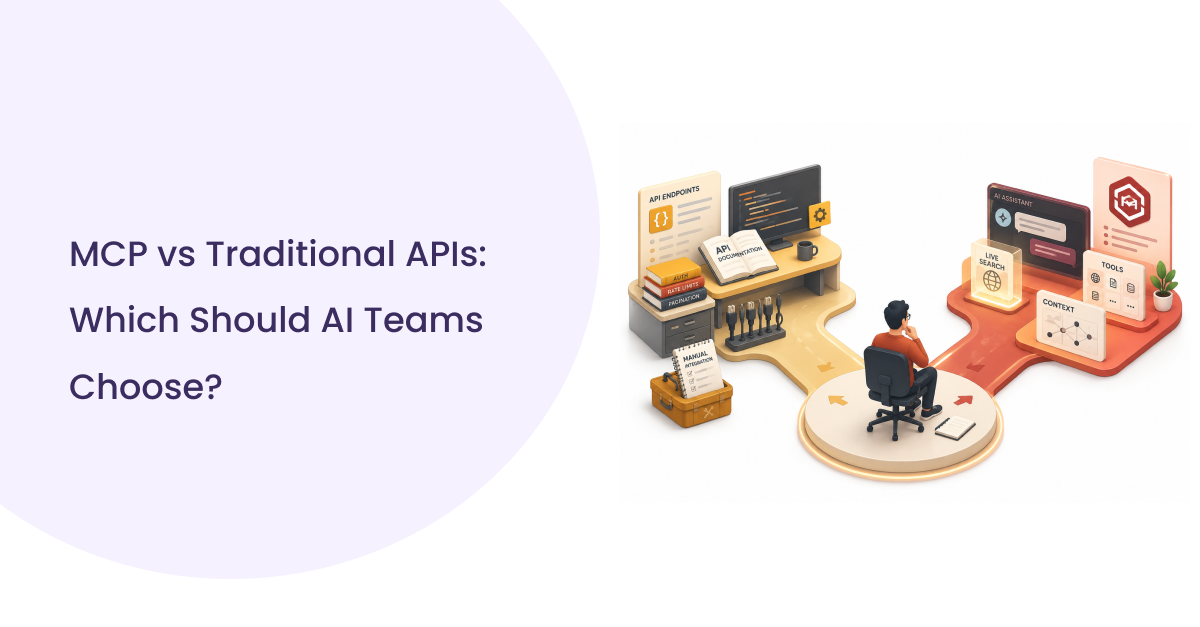
Traditional APIs and MCP servers both provide access to data, but they work differently.
| Feature | Traditional API | MCP Server |
| Integration | Manual development | AI-native integration |
| Requests | API endpoints | Natural language requests |
| Context awareness | No | Yes |
| AI compatibility | Requires custom code | Built for AI applications |
| Workflow | Separate tools | Inside AI assistants |
An API delivers raw data to an application, while an MCP server acts as a communication layer between AI systems and external services. In the case of the SERPHouse MCP Server, the search API remains the data source, while the MCP server makes that data available directly inside AI workflows.
Why Search Data Matters for AI Agents
AI agents are becoming part of everyday workflows, but their value depends heavily on the quality and freshness of the information they receive. Search data provides real-world insights that change constantly, making it an essential source for AI-driven research and decision-making.
For keyword research, search results reveal what people are actively searching for and which topics are gaining attention. During SERP analysis, AI agents can identify ranking patterns, featured snippets, and search intent directly from live results.
Search data is equally valuable for competitor monitoring. Businesses can track who ranks for important keywords, study content strategies, and identify new opportunities in their market.
Content planning also becomes more reliable when AI agents can analyze existing search results instead of relying only on stored knowledge. This helps teams create articles, landing pages, and resources that match current user intent.
For SEO workflows, live search data supports rank tracking, content audits, competitor analysis, and search monitoring, allowing AI agents to work with current information rather than outdated assumptions.
Introducing SERPHouse MCP Server
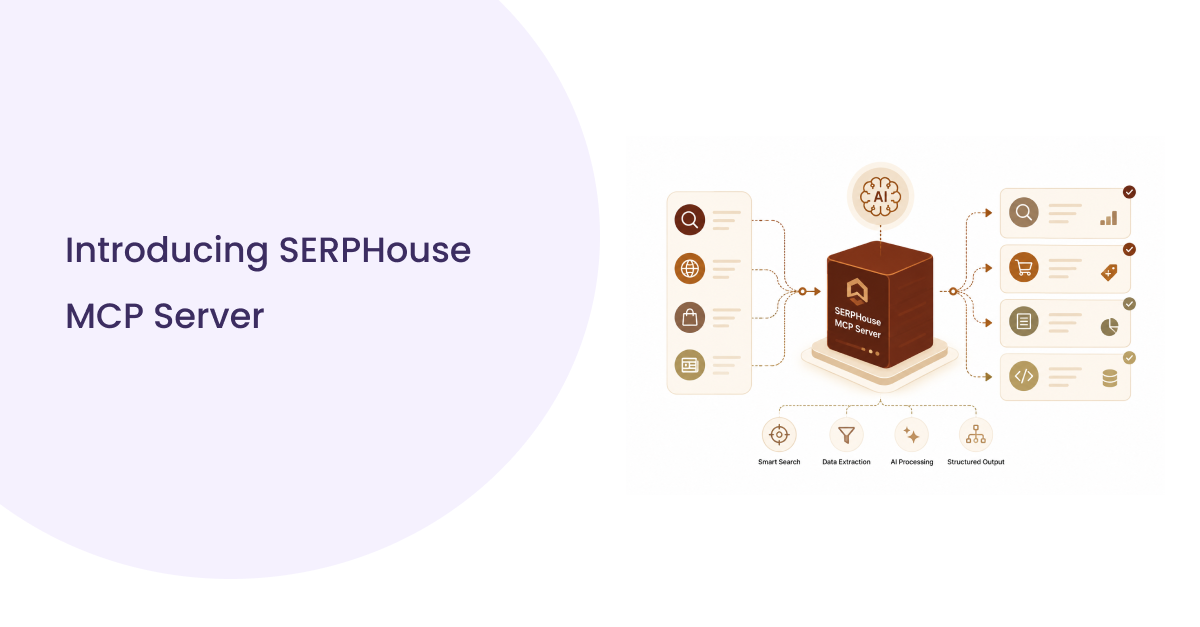
The SERPHouse MCP Server brings real-time search data directly into AI applications, allowing users to access live Google search results without leaving their workflow. Instead of opening multiple SEO tools, browser tabs, or dashboards, developers and SEO teams can ask questions naturally and receive current search insights inside their AI assistant.
Built on the Model Context Protocol, the server acts as a connection layer between AI applications and SERPHouse search infrastructure. When an AI assistant needs current SERP information, the MCP server retrieves the data and returns it in a format the model can understand.
The server provides access to Google search data, making it useful for keyword research, SERP analysis, competitor tracking, and content research. Because the integration works directly with AI applications such as Claude, users can interact with search data through simple prompts rather than writing API requests manually.
Designed with developers in mind, the SERPHouse MCP Server offers a straightforward setup process, local execution support, and a flexible architecture that fits naturally into modern AI and automation workflows.
What Can You Do With the SERPHouse MCP Server?
Once the SERPHouse MCP Server is connected to an AI application like Ollama, ChatGPT, Claude, or other AI tools, search data becomes part of the conversation itself. Instead of manually opening search tools, copying keywords, or making API requests, users can simply ask questions and receive current search insights directly within their preferred AI environment.
For keyword research, the server can retrieve live Google results and help identify ranking pages, search intent, and related topics. This allows SEO teams to understand what users are actively searching for and how search results are changing over time.
The MCP server also makes SERP analysis easier. Users can examine top-ranking pages, identify featured snippets, analyze search intent, and understand why certain pages perform better than others.
Competitor research becomes more practical as AI assistants can compare ranking websites, identify content gaps, and highlight opportunities directly from search results.
Content teams can use search data to plan articles, discover frequently discussed topics, and create content that aligns with current search behavior. Developers and AI builders can also integrate the SERPHouse MCP Server into their workflows to bring real-time search intelligence into their applications, making AI agents more effective for SEO, research, and automation tasks.
Quick Start
The fastest way to use the SERPHouse MCP Server is by connecting the hosted server to your AI client. There is no local installation, no build process, and no server maintenance required.
Step 1: Get Your SERPHouse API Key
Sign in to your SERPHouse account and copy your API key from the dashboard.
Step 2: Add the MCP Server
Add the following configuration to your MCP client:
Replace:
YOUR_SERPHouse_API_KEY
with your actual SERPHouse API key.
Using SERPHouse MCP with Cursor
1. Open Cursor Settings.
2. Navigate to Tools & MCP.
3. Click Add MCP Server.
4. Paste the SERPHouse MCP configuration.
5. Save the configuration.
Cursor stores MCP configurations inside:
.cursor/mcp.json
After saving, restart the Cursor and begin using live search data.
Using SERPHouse MCP with VS Code
1. Open VS Code.
2. Press:
Ctrl + Shift + P
3. Search:
MCP: Open User Configuration
4. Open the MCP configuration file.
5. Paste the SERPHouse MCP configuration.
6. Save the file.
Example configuration:
Restart VS Code after saving the configuration.
Start Your First Query
Once the MCP server is connected, you can ask:
Search Google for “SERP API”
The AI assistant will automatically use the SERPHouse MCP Server to retrieve live search data.
Real Examples of SERPHouse MCP in Action
Once the SERPHouse MCP Server is connected to Claude, users can access live search data through simple prompts. Instead of writing API requests or switching between multiple tools, search insights become part of the conversation.
Example 1: SERP Analysis
A user can ask:
Analyze the SERP for “Google News API”
The MCP server retrieves current search results and allows the AI assistant to examine search intent, identify ranking patterns, and review the types of content appearing on the first page.
Example 2: Keyword Research
Search queries can be explored directly inside the AI workflow:
Search Google USA for “SERP API”
This helps teams understand how search results differ by location and identify the websites currently ranking for important keywords.
Example 3: Competitor Analysis
Users can compare competitors without manually collecting data:
Compare the top-ranking pages for “Google Search API”
The AI assistant can review ranking pages, identify common topics, and highlight areas where new content opportunities exist.
Example 4: Content Planning
Content teams can use live search data to support editorial decisions:
Find content opportunities for “Google Shopping API”
The MCP server provides current search context, helping writers and marketers build content that aligns with existing search demand.
These examples demonstrate how the SERPHouse MCP Server turns real-time search data into a natural part of AI-driven research, SEO analysis, and content workflows.
Use Cases for Developers, SEO Teams, and AI Agents
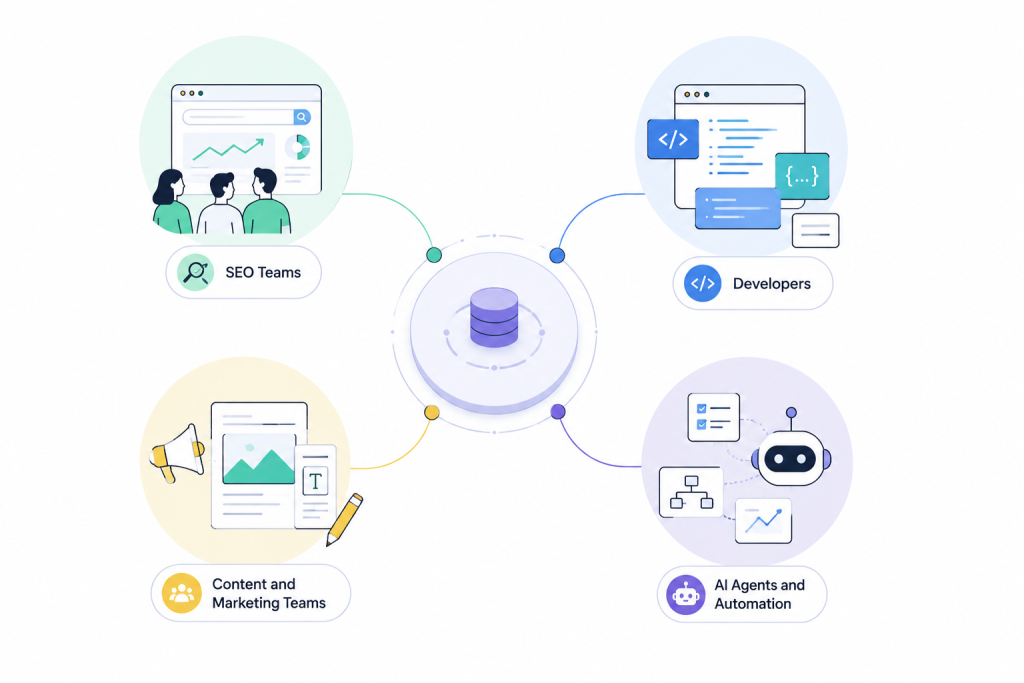
The SERPHouse MCP Server is designed for teams and individuals who depend on current search data. By bringing live SERP information directly into AI applications, it supports a wide range of workflows across SEO, development, research, and automation.
SEO Teams
SEO professionals often spend time switching between rank trackers, search tools, spreadsheets, and browser tabs. With the SERPHouse MCP Server, search analysis can happen directly inside the AI workflow.
Teams can:
- Analyze search intent.
- Review current ranking pages.
- Monitor competitors.
- Research keywords by country or location.
- Discover content opportunities.
This makes research faster while keeping search data accessible during conversations.
Developers
Developers building AI-powered applications can use the MCP server to provide their tools with real-time search information. Instead of creating custom integrations for every workflow, search data becomes available through a single MCP connection.
Common use cases include:
- AI research assistants.
- SEO applications.
- Internal search tools.
- Automation workflows.
- Search intelligence platforms.
Content and Marketing Teams
Content planning often begins with understanding what currently ranks in search results. The MCP server allows writers and marketers to examine search intent, identify common topics, and discover gaps in existing content.
This helps teams create content based on current search behavior rather than assumptions.
AI Agents and Automation
AI agents become significantly more useful when they can access live information. The SERPHouse MCP Server gives AI systems access to real-time search data, allowing them to support tasks such as:
- SERP monitoring.
- Competitor tracking.
- Content research.
- Search trend analysis.
- Automated reporting.
As AI agents continue to evolve, access to current search data becomes increasingly important for building reliable and practical workflows.
Getting Started with the SERPHouse MCP Server (Local Setup)
Setting up the SERPHouse MCP Server locally requires only a few steps. Before starting, make sure you have the following installed:
- Node.js 22 or later
- npm 10 or later
- Git
- Claude Code
- A SERPHouse API key
You can verify your environment by running:
Step 1: Clone the Repository (Local Setup)
Download the repository to your local machine and move into the project directory:
This will create a local folder named serphouse-mcp in your current directory.
Step 2: Install Dependencies
Install the required packages locally inside the project:
Some package warnings may appear during installation. These warnings generally do not affect the setup.
Step 3: Build the Project
Compile the project locally:
After a successful build, verify the generated files:
You should see files similar to:
api.js
config.js
http.js
index.js
server.js
If the build fails, verify that you are running Node.js 22 or later. Some environments may also require Express 4 instead of Express 5.
Step 4: Configure Claude Code
Create the Claude configuration directory:
Open the configuration file:
Add the following configuration:
Replace:
- YOUR_USERNAME with your Linux username.
- YOUR_API_KEY with your SERPHouse API key.
Do not add the word Bearer before the API key. The MCP server automatically handles authentication.
Step 5: Verify the Configuration
Before restarting Claude Code, verify that the configuration file was saved correctly:
Your output should look similar to:
Step 6: Restart Claude Code
Reload Claude Code to apply the new configuration:
Step 7: Run Your First Query
Once Claude starts, you can begin using live search data:
Search Google USA for “SERP API”
If Claude returns live search information, the SERPHouse MCP Server has been successfully configured locally.
The setup process above reflects our installation experience using Ubuntu and Claude Code. Depending on your environment, some package versions or dependencies may vary.
Troubleshooting Tips
Before troubleshooting further, verify the following:
- Node.js version is 22 or later.
- npm install completed successfully.
- npm run build completed successfully.
- The dist/src folder exists.
- The API key is valid.
- The configuration path is correct.
- Claude Code has been restarted.
These steps cover the complete setup process while keeping the installation simple for both technical and non-technical users.
The Future of AI Search Workflows
AI applications are becoming part of daily work for developers, SEO teams, researchers, and marketers. As these tools become more capable, access to current information becomes increasingly important.
Search data changes constantly. Rankings move, competitors publish new content, and user behavior evolves every day. AI models alone cannot keep pace with these changes without access to external sources.
This is where MCP-based workflows become valuable. Instead of treating AI and search data as separate systems, developers can connect them directly. AI assistants can retrieve live information, analyze current search results, and support decision-making using up-to-date data.
For SEO teams, this results in quicker research and improved insight into search trends. Developers gain opportunities to create AI-powered tools that interpret current search behavior. AI agents benefit from access to constantly changing information.
As more AI applications adopt the Model Context Protocol, access to real-time data will become a standard requirement. Search intelligence is one of the most valuable sources of that information, making MCP-based search workflows increasingly important for modern AI applications.
Conclusion
The Model Context Protocol introduces a practical way for AI applications to work with external data sources. Instead of relying only on stored knowledge, AI assistants can access live information when it is needed.
The SERPHouse MCP Server brings real-time search data into AI workflows, allowing developers, SEO professionals, and content teams to interact with current Google search results through natural language.
Whether the goal is keyword research, competitor analysis, content planning, or search intelligence, the ability to combine AI with live SERP data creates more useful and reliable workflows.
As AI tools continue to evolve, access to current search information will become increasingly important. The SERPHouse MCP Server provides a simple way to connect AI applications with real-time search data and make search intelligence available directly inside the conversation.