
Table of Contents
Table of Contents
Ask an AI assistant what the top-ranking articles on a topic are right now, and it will either guess confidently or apologize for not knowing. Both outcomes are wrong in the same way: the model is working from frozen knowledge, and the world did not stop moving when its training data was collected.
This is not a model quality problem. It is an architecture problem.
Large language models are reasoning engines. They are exceptional at synthesizing information, generating structured output, and following complex instructions. What they cannot do by design is check what is happening on the web at the moment you ask the question. Search rankings shift overnight. News breaks by the hour. Competitor prices change in real time. A model without live search access is a calculator without the ability to fetch the current formula.
The MCP changes this. Within an MCP-enabled workflow, the SERPHouse MCP Server is the component that connects AI agents to structured, real-time search data from Google, Bing, and Yahoo.
Why AI Agents Need Real-Time Web Search
AI agents need real-time web search because their training data has a fixed cutoff date. Any question involving current rankings, recent news, live pricing, or evolving competitive landscapes cannot be answered reliably from static model memory. Real-time web search solves this by giving agents access to structured, live SERP data at query time.
There are four distinct categories where static model knowledge fails in practice:
1. Time-Sensitive Information
Anything that changes faster than a model’s training cycle, news, market conditions, algorithm updates, regulatory changes is unreliable from memory. An SEO agent asked to summarize the top results for a competitive keyword cannot do this accurately without live search.
2. Competitive and Commercial Intelligence
Competitor pricing, product positioning, and ranking pages change continuously. A research agent that cannot pull current data will consistently produce stale competitive analysis, which is worse than no analysis at all because it looks credible.
3. Local and Geo-Specific Results
Search results vary significantly by location, device, and language. A model that ‘knows’ what ranks for a keyword in Chicago has no useful knowledge about what ranks in Paris or Melbourne today. Local search results require live, location-targeted queries; there is no substitute.
4. AI Overviews and Emerging SERP Features
Google’s SERP is no longer ten blue links. AI Overviews, People Also Ask boxes, knowledge panels, and local packs all require live retrieval. A model reasoning about how to win featured snippet placement without seeing the actual SERP is reasoning in the dark.
Traditional Web Search vs. MCP-Powered Web Search
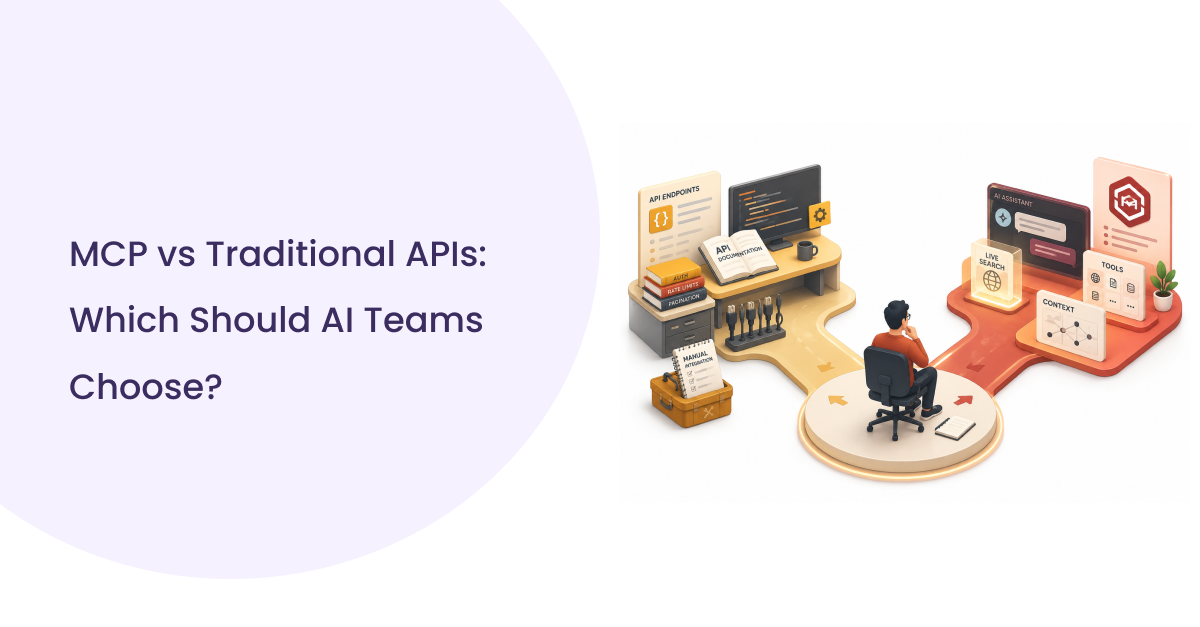
Developers have historically approached the problem of giving AI systems web access through three methods, each with significant trade-offs.
| Approach | How it works | What breaks |
| Manual search + paste | Developer searches manually, copies results, pastes into prompt | Does not scale; introduces transcription errors; cannot be automated |
| Browser automation (Playwright/Selenium) | Agent controls a browser, scrapes rendered HTML | Fragile against UI changes; blocked by CAPTCHAs and bot detection; noisy HTML; high latency; legal gray area |
| Direct API integration | Developer writes custom integration code for a search API | Per-application maintenance; no standard protocol; integrations break; no portability between AI clients |
| MCP web search | Agent calls MCP server via standardized protocol; server queries search API and returns structured data | None of the above; structured output, portable across MCP clients, no custom integration per agent |
MCP adds one more dimension: portability. Because the SERPHouse MCP Server speaks the Model Context Protocol, it works without modification in Claude, Cursor, VS Code, Windsurf, Cline, and any other MCP-compatible client. You write the integration once. It runs everywhere.
How SERPHouse MCP Server Retrieves Live Search Data
How it works
An MCP Server acts as a bridge between an AI assistant and an external data provider. When an AI agent needs search results, it calls the MCP Server using a standardized tool-calling interface. The server translates that call into a request to the search API, receives structured results, and returns them to the agent in a format the model can reason over directly.
The complete data flow at each step:
| ▶ User Prompt: The user asks a question that requires current web information, a direct search request or one embedded in a larger task. |
| ▶ AI Assistant: The model recognizes, based on its tool definitions, that this query requires live search. It formulates a tool call with a query string, optional location, and engine selection. |
| ▶ SERPHouse MCP Server: Receives the tool call over the Model Context Protocol. Validates parameters, authenticates with the SERPHouse API, and forwards the request. |
| ▶ SERPHouse Search API: Executes the live query against the target search engine. This is a fresh query; the response reflects actual current rankings. |
| ▶ Structured JSON Response: Returns parsed results: organic listings with titles, URLs, descriptions; SERP features; pagination data; and query metadata. |
| ▶ Grounded Response: The AI assistant receives structured data as context and generates a response that reflects what is actually on the web today. |
Real Developer Workflows
Below are seven workflows that developers and AI builders implement regularly, each showing the problem, the search-enhanced approach, and the business impact.
1. SEO Keyword Research
Problem: An SEO agent asked to identify keyword opportunities will generate keyword suggestions from its training data, with no way to know which terms are trending or what competition looks like today.
Workflow Steps
1. Agent receives a topic or seed keyword
2. Calls SERPHouse MCP Server with the seed keyword
3. Receives current organic results, PAA boxes, related searches, and autocomplete suggestions
4. Identifies semantic clusters from live SERP data
5. Calls again with secondary keywords to validate competition
6. Produces keyword strategy grounded in current search reality
Business value: Keyword recommendations that reflect what is actually ranking now, not six months ago.
2. Competitor Monitoring
Problem: Competitive intelligence degrades instantly. A competitor who updated their pricing page last week is invisible to a model reasoning from training data.
Workflow Steps
1. Agent maintains a list of competitor brand names and key product terms
2. On a scheduled basis, calls SERPHouse for each competitor’s branded queries
3. Analyzes which pages are ranking, what SERP titles and descriptions say, and which SERP features competitors hold
4. Flags changes from prior snapshots
5. Summarizes shifts in competitive positioning
Business value: Real-time competitive awareness without manual monitoring.
3. Content Research and Gap Analysis
Problem: A content agent drafting a blog post will produce content aligned with training data patterns, not with what is currently winning rankings.
Workflow Steps
1. Agent receives a content topic or target keyword
2. Fetches current top-10 organic results via SERPHouse
3. Analyzes titles, descriptions, and URLs for angle patterns
4. Fetches People Also Ask data for question-based content structure
5. Identifies underrepresented sub-topics
6. Uses live SERP context to inform the content brief or first draft
Business value: Content strategy grounded in what Google is surfacing today.
4. Real-Time News Monitoring
Workflow Steps
1. Agent queries Google News via SERPHouse MCP Server with monitored terms
2. Receives current news results with timestamps, sources, and snippets
3. Filters by recency and source authority
4. Surfaces relevant stories for review or further analysis
5. Optionally triggers downstream actions (alerts, summaries, reports)
5. Local Search Analysis
Problem: Local search results are intensely location-specific. What ranks in one city has no relationship to what ranks in another.
Workflow Steps
1. Agent receives a business category and target location
2. Calls SERPHouse with location targeting parameters
3. Receives local pack results, organic rankings, and Google Maps data specific to that geography
4. Compares against the client’s current rankings
5. Identifies gaps and opportunities in local search visibility
How Real-Time Search Improves AI Response Quality
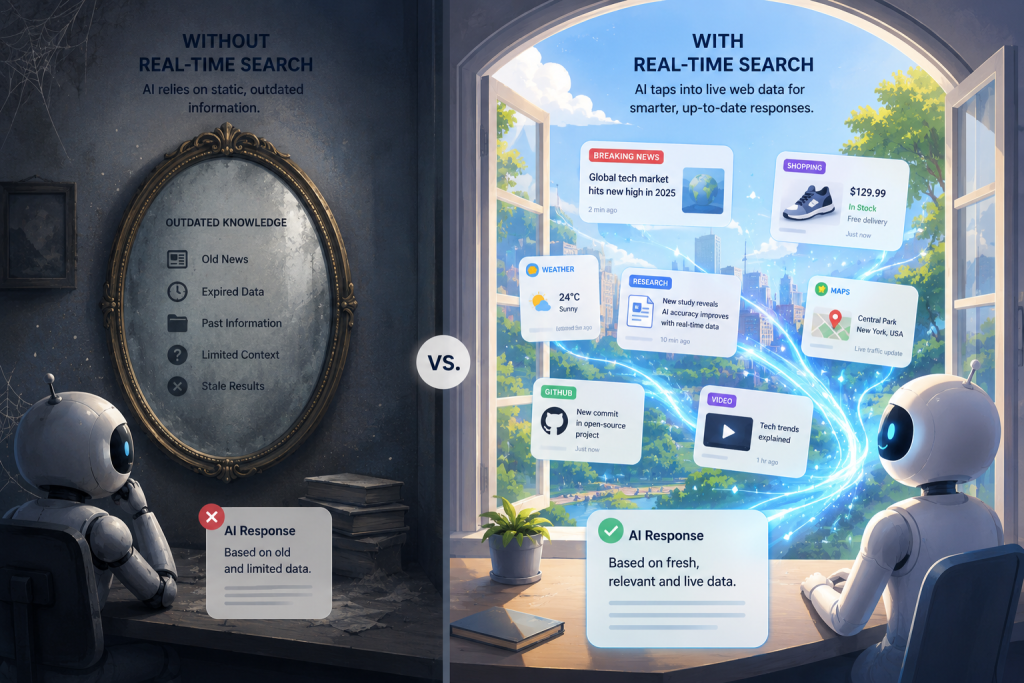
The improvement operates at three levels of AI output quality:
- Accuracy: When an agent has access to current search results, it stops relying on pattern-matching from training data for factual questions. Rankings, prices, news, and competitive positioning are retrieved rather than inferred.
- Reasoning quality: LLMs reason best when given structured, specific input. A set of clean search results gives the model concrete entities and relationships to reason over, rather than statistical patterns from memory.
- Confidence calibration: When the model can see the current SERP, it can distinguish between training data and current reality, significantly reducing confident hallucination on factual questions.
- Source grounding: Responses can cite specific current URLs, publication dates, and source names, not fabricated references that look plausible but do not exist.
Common Mistakes When Building AI Search Workflows
Most early implementations fail at the same five points:
1. Relying on Model Memory for ‘Mostly Stable’ Information
Developers often reserve live search for ‘obviously time-sensitive’ queries and let the model handle everything else. This breaks when the ‘stable’ information turns out to have changed, such as algorithm updates, competitor moves, and regulatory shifts. The safer default: if accuracy matters, search.
2. Ignoring Location Parameters
Many MCP search integrations fire queries without location context, returning results for the default locale regardless of geographic context. Always pass explicit location parameters when geographic relevance matters.
3. Skipping Freshness Validation
Structured search results include timestamps and publication dates. A search result that ranks highly but was published two years ago may reflect outdated information even if its position is current. Train your agents to distinguish between ranking recency and content recency.
4. Using Browser Scraping Instead of a Structured API
Browser scraping appears to work in development and breaks reliably in production bot detection, dynamic rendering, UI changes, and rate limiting create unpredictable failures. Structured search APIs return consistent, parseable JSON on every request. The reliability difference is not marginal; it is the difference between a workflow that runs and one that requires constant maintenance.
5. Making One Broad Search Instead of Several Targeted Searches
Production AI search workflows call search multiple times iteratively, based on what the first result surfaces. The pattern is search → analyze → refine → search again, not search → done. Query design is a skill. Treat it as one.
Best Practices for Production AI Search Workflows
Query Design
- Include intent signals in queries (‘best’, ‘vs’, ‘pricing’, ‘reviews’) to pull different SERP feature types
- Use location + keyword combinations for geo-sensitive workflows
- Include year qualifiers for evergreen topics where freshness matters (‘keyword research tools 2026’)
- For competitive research, search competitor brand names as queries, not just category terms
Location Targeting
SERPHouse supports worldwide location targeting. For any workflow with a geographic dimension, pass explicit location parameters on every call. Do not assume that default results are representative of any specific market.
Caching Strategy
- No cache: Breaking news, pricing, real-time competitive monitoring
- Short cache (1–4 hours): Keyword research, content research, trending topics
- Longer cache (24 hours): Evergreen competitive analysis, market overview queries
Rate Limits and Credit Management
- Understand credit consumption per query type before building batch workflows
- Implement exponential backoff for retry logic
- Set up alerts when credit consumption spikes unexpectedly this usually signals a runaway agent or misconfigured retry loop
Error Handling
- Distinguish between transient errors (retry) and permanent errors (fail with a clear message)
- Never let a search error cause the agent to silently fall back to model memory make the failure visible
- Log every search call with query, parameters, response time, and status code for debugging
Observability
Production AI search workflows are difficult to debug without instrumentation. Log every search query with full parameter set, response time and result count, which results were cited in output, and total credit consumption per workflow run.
When to Use MCP Web Search vs. Model Memory
| Question type | Use MCP search? |
| Current rankings for a keyword | Always |
| Today’s news on a topic | Always |
| Competitor pricing right now | Always |
| Local business listings in a specific city | Always |
| General explanation of how something works | Optional – verify if accuracy is critical |
| Historical facts with no recent changes | Rarely needed |
| User’s own data or documents | Never use a different tool |
Conclusion
Real-time web search is not a feature addition to AI workflows. It is a foundational capability for any agent that needs to answer questions about the current world accurately.
The SERPHouse MCP Server makes this capability available through a standardized protocol, structured data, and support for the major search engines developers actually need. The architecture is clean: AI agent calls the MCP Server, the MCP Server queries the search API, structured results come back, the agent reasons over real data.
What makes this practically powerful is the combination of live data with AI reasoning. The model handles synthesis, structure, and inference. SERPHouse handles retrieval. Neither replaces the other. Together, they produce outputs that neither can produce alone.