
Table of Contents
Table of Contents
Every second you spend manually checking competitor prices on Google Shopping, someone faster is already reacting to them.
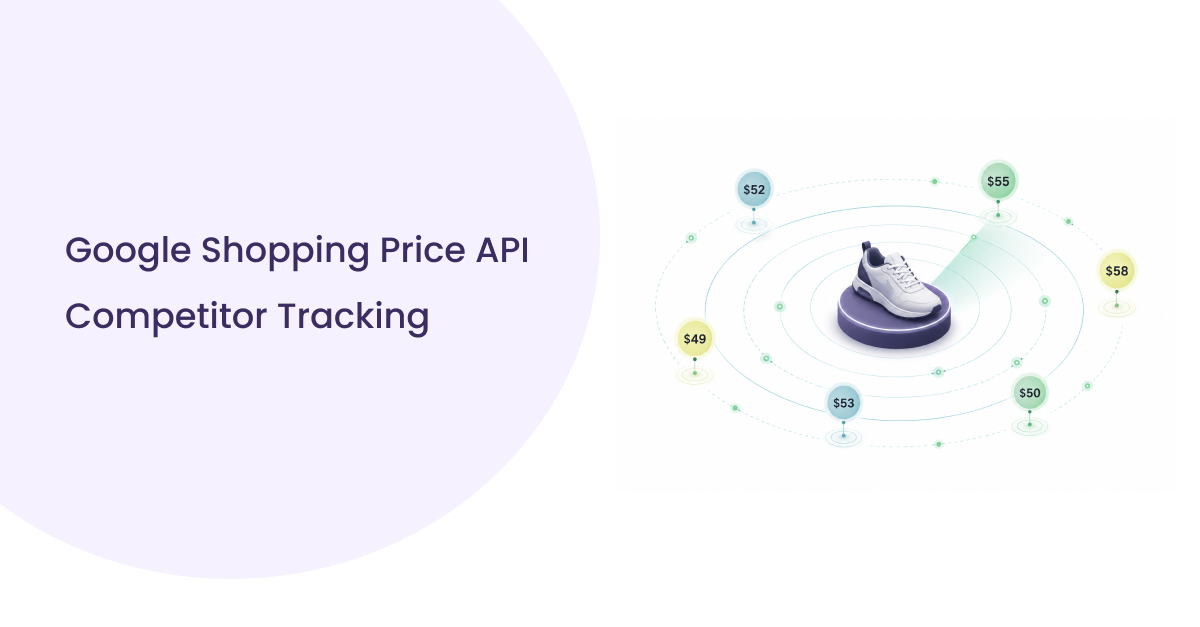
Prices on Google Shopping shift dozens of times a day. A competitor drops their price by $5 on a high-volume product, and within hours their listing climbs in visibility while yours quietly slips. By the time your team notices, the damage is done: lost clicks, lost sales, and a pricing strategy built on stale data.
This is the exact problem a Google Shopping Price API solves.
Instead of manually scanning product listings or running fragile scrapers that break every time Google updates its layout, a price API gives your systems direct, structured access to live Google Shopping data product titles, current prices, seller names, ratings, availability, and shipping costs all delivered as clean JSON, ready to plug into your pricing tools, dashboards, or repricing workflows.
In this guide, you’ll learn exactly what a Google Shopping Price API is, how it differs from Google’s own Merchant API, why it outperforms scrapers at any meaningful scale, and how to use SERPHouse’s Google Shopping API to build reliable, real-time price intelligence.
What Is a Google Shopping Price API?
Before getting into the technical details, it helps to understand what Google Shopping actually shows and why that data is so valuable.
When a user searches for a product on Google, the Shopping tab surfaces a structured set of listings pulled from merchant feeds submitted through Google Merchant Center. Each listing includes a product title, image, price, seller name, star rating, and shipping information. Google ranks these listings based on data quality, bid strength (for paid placements), and how closely the product matches the search intent.
A Google Shopping Price API is a programmatic interface that lets you retrieve this exact shopping data, specifically prices and seller details, for any product query, in real time, without visiting the page manually.
There are two distinct types of APIs you’ll encounter, and confusing them is one of the most common mistakes teams make at the start.
Google’s official Merchant API (formerly the Content API for Shopping, which Google is retiring in August 2026) is designed for merchants who need to manage their own product listings, upload feeds, update prices, accessing performance insights on their own inventory. It’s a seller-facing tool.
Third-party Google Shopping Price APIs, like the one SERPHouse provides, work differently. They query Google’s public Shopping search results and return structured data on what’s visible in the market all sellers, all prices, all listings for any product search. This is a market intelligence tool, not a feed management tool.
If you’re a retailer, brand, pricing analyst, or developer who needs to know what prices competitors are showing right now on Google Shopping, a third-party price API is what you need. The Merchant API won’t give you that view.
Why Businesses Need Real-Time Price Data from Google Shopping
A common assumption is that price tracking is a “nice to have”, useful but not urgent. That assumption gets expensive fast.
Google Shopping visibility is directly tied to price competitiveness. Unlike organic search, where content quality drives rankings over time, Google Shopping is a live auction where price is one of the most visible ranking and conversion signals. Shoppers can sort by price in one click. A product priced $10 above the market median doesn’t just convert worse; it often doesn’t get seen at all.
Here’s what that means in practice:
Prices change constantly, and manual monitoring doesn’t scale. A mid-size retailer with 500 SKUs competing across 10 categories cannot realistically monitor every competitor price shift manually. At that volume, even a small team checking daily misses intraday changes and plenty of repricing happens within hours, not days.
The use cases go beyond simple “match the lowest price.” Real-time Google Shopping price data powers a range of strategic workflows:
- Competitor price monitoring: tracking when specific sellers adjust prices on products that overlap with your catalogue
- Dynamic repricing: feeding live price signals into automated rules that adjust your own prices in response to market moves
- MAP (Minimum Advertised Price) enforcement: identifying when resellers or channel partners are listing products below your agreed floor price
- Market intelligence for brands and agencies: understanding price positioning across a category before a product launch or campaign
- Seasonality and promotion detection: spotting when competitors start discounting ahead of peak periods so you can respond with counter-campaigns
Each of these workflows requires data that is current, structured, and reliable. A Google Shopping Price API is the infrastructure layer that makes all of them possible.
Google Shopping Scraper vs. Price API: Why the API Wins at Scale
If you’ve explored this space before, you’ve probably come across the idea of using a Google Shopping scraper a script that loads the page and extracts data from the HTML. For a quick proof of concept, it works. For anything beyond that, it becomes a liability.
Here’s why the comparison matters:
Scrapers are fragile by design. They depend on Google’s HTML structure remaining consistent. When Google updates its layout which it does frequently, the scraper breaks. Someone on your team has to find the change, fix the selectors, test, and redeploy. For a company building a business on pricing intelligence, that maintenance cycle is a real ongoing cost.
Google actively detects and blocks scraping at scale. Rate limiting, CAPTCHAs, and IP bans Google’s infrastructure is specifically designed to identify and reject non-human traffic. Running a high-volume scraper requires rotating proxies, CAPTCHA solving services, and constant tuning. You’re essentially building a small infrastructure team just to collect data that should take one API call.
Scrapers return raw HTML, not structured data. Even when a scraper succeeds, you get messy HTML that needs to be parsed, cleaned, and transformed before it’s usable. A price API returns clean, structured JSON ready to feed directly into your systems.
Here’s how the two approaches compare across the dimensions that matter:
| Google Shopping Scraper | Google Shopping Price API | |
| Setup time | Hours to days | Minutes |
| Maintenance | Ongoing, breaks on layout changes | None, handled by the provider |
| Data format | Raw HTML, requires parsing | Structured JSON |
| Scale | Degrades, blocks, rate limits, IP bans | Consistent at any volume |
| Geo-targeting | Complex to configure | Built-in parameter |
| Reliability | Unpredictable | SLA-backed |
| Compliance | Grey area at scale | Clean, managed access |
For teams doing light, one-off research, a scraper might be acceptable. For any production workflow recurring monitoring, repricing systems, market intelligence dashboards a purpose-built price API is the only sustainable path.
What Data Does a Google Shopping Price API Return?

Understanding the data structure is important before you build anything around it. A Google Shopping Price API doesn’t just return a number; it returns a full set of product intelligence for every listing that appears in the Shopping results for a given query.
Standard fields returned per listing:
- product_title: the full product name as shown in Google Shopping
- price: the listed price from the seller
- seller_name: the merchant offering the product
- rating: aggregate star rating (where available)
- review_count: number of reviews surfaced in the listing
- availability: in stock, limited stock, or unavailable
- shipping_cost: shipping amount shown (or “free shipping” flag)
- product_url: direct link to the product page
- thumbnail_url: product image URL
Extended fields (depending on the query and market):
- is_sponsored: whether the listing is a paid placement or organic
- discount_tag: sale or promotional pricing labels
- geo_location: results scoped to a specific city, region, or country
- currency: relevant for cross-border queries
Here’s a simplified example of what a single listing looks like in a SERPHouse Google Shopping API response:
Each API call returns all listings visible in the Shopping SERP for that query, typically 10 to 40 results, depending on the product and market. That means one call gives you a complete competitive price landscape for that search, not just the top result.
For price tracking at scale, SERPHouse also supports batch processing, submitting multiple queries in a single scheduled job rather than firing them one at a time. This is essential for catalog-level monitoring, where you might be tracking hundreds or thousands of SKUs on a recurring daily or intraday schedule.
5 Real-World Use Cases for a Google Shopping Price API
The data itself is only valuable in context. Here’s how real teams are putting Google Shopping Price API data to work.
1. Competitor Price Tracking and Alerts
The most direct use case: build a system that queries your key product terms on a schedule, stores the results, and flags when a competitor’s price changes by more than a defined threshold.
A fashion retailer tracking “men’s running shoes” might set an alert if any of their top five competitors drop below a certain price point. Instead of checking manually each morning, their pricing system pings the API, compares to the previous day’s results, and sends a Slack notification if anything shifts by 5% or more. The whole loop runs automatically.
2. Dynamic Repricing Workflows
This is where price API data connects directly to revenue. A repricing engine pulls live Google Shopping prices for a product, evaluates where your current listing sits relative to the market, applies a pre-defined rule (e.g., “stay within 3% of the lowest reputable seller”), and updates your own price accordingly.
Done well, this keeps you competitive without racing to the bottom because the rules are yours. The API provides the market context; the strategy is still in your hands.
3. MAP Violation Detection
For brands that sell through resellers, MAP (Minimum Advertised Price) enforcement is a constant challenge. Manually monitoring dozens of reseller listings across Google Shopping is not realistic at scale.
A MAP monitoring workflow queries Google Shopping for your branded products on a daily basis, identifies any seller listing below your MAP threshold, and flags them for follow-up. This protects your brand positioning and gives your channel team specific, documented evidence when a conversation with a reseller is needed.
4. Price Intelligence Dashboards for Brands and Agencies
Marketing and e-commerce agencies increasingly build custom pricing dashboards for their clients, pulling live Google Shopping data into Looker Studio, Power BI, or custom reporting environments so brand managers can monitor their price position against the market at a glance.
The SERPHouse Google Shopping Price API provides the data layer for these dashboards, with structured JSON output that integrates cleanly into any data pipeline without transformation overhead.
5. Seasonality and Promotion Monitoring
Experienced e-commerce operators know that the first sign a competitor is about to run a major promotion is usually a quiet price drop a day or two before the campaign goes live. By monitoring Google Shopping prices continuously, you can catch these signals early — adjusting your own promotional calendar or counter-campaign plans before the competitor’s campaign lands.
This is especially valuable around peak periods: Black Friday, Prime Day, back-to-school, and end-of-season clearance cycles — moments when price intelligence is most valuable and most contested.
How to Use SERPHouse’s Google Shopping Price API
SERPHouse’s Google Shopping API is designed to be fast to set up and straightforward to integrate — you can make your first call in under two minutes.
Step 1: Get your API key
Create a SERPHouse account at serphouse.com. Every account, including the free plan, gets an API key that authenticates your requests.
Step 2: Make a price query
The API accepts a standard HTTP request. Here’s a live example querying Google Shopping for “wireless headphones” in New York:
Key request parameters:
| Parameter | Description | Example |
| q | Product search query | wireless headphones |
| serp_type | Set to shop for Shopping results | shop |
| loc | Target location for geo-specific prices | New York, US |
| lang | Language of the results | en |
| domain | Target Google domain | google.com, google.co.uk |
| device | Desktop or mobile results | desktop |
Step 3: Parse the response
The API returns a structured JSON object. Price data sits inside the shopping_results array.
Here’s how to extract it in Python:
Key request parameters:
| Parameter | Description | Example |
| q | Product search query | wireless headphones |
| serp_type | Set to shop for Shopping results | shop |
| loc | Target location for geo-specific prices | New York, US |
| lang | Language of the results | en |
| domain | Target Google domain | google.com, google.co.uk |
| device | Desktop or mobile results | desktop |
Step 3: Parse the response
The API returns a structured JSON object. Price data sits inside the shopping_results array. Here’s how to extract it in Python:
Step 4: Scale with batch requests
For catalog-level monitoring, SERPHouse supports batch processing — submitting a list of queries to run in parallel or on a scheduled basis. This is the right approach when you’re tracking hundreds of SKUs across multiple geographies on a recurring daily or intraday cycle. SERPHouse’s infrastructure handles up to 6,000 requests per minute, so volume is not a bottleneck.
Geo-Targeted Price Tracking, Monitoring Prices Across Locations
One detail that catches teams off guard: the same product search on Google Shopping can return entirely different prices and sellers depending on where the query originates.
A “Sony WH-1000XM5” search run from New York might show Best Buy, Amazon, and B&H at $279.99. The same search run from London returns Currys, Amazon UK, and John Lewis at £249.00. And in Berlin, MediaMarkt enters the picture at €319.00.
These aren’t just currency differences. The sellers, promotions, availability, and competitive dynamics are genuinely different by market. A brand selling internationally needs geo-specific price intelligence to understand each market on its own terms.
SERPHouse’s API handles this through the loc parameter, you specify a city, region, or country, and the API returns results scoped to that location, using Google’s own geolocated data infrastructure. No proxy hacks, no VPN workarounds. One parameter, clean results.
Practical scenarios for geo-targeted price tracking:
- Cross-border sellers checking whether their pricing is competitive in each market independently
- International brands monitoring regional reseller behaviour and spotting MAP violations by territory
- Global agencies building per-market pricing dashboards for multinational clients
- Manufacturers benchmarking retail prices across distribution markets as part of quarterly commercial reviews
For teams monitoring across multiple geographies, batch all your location variants together in a single scheduled job. A query for “product X” across five cities is five API calls — and with SERPHouse’s batch capabilities, they run in parallel rather than sequentially.
Wrapping Up
Price intelligence on Google Shopping is no longer a competitive advantage reserved for large retailers with dedicated data teams. With the right API in place, any e-commerce business, agency, or pricing tool can access the same live market data and act on it in real time.
A Google Shopping Price API gives you structured, reliable access to every price, seller, and product detail visible in Google Shopping, for any search, any location, on demand. The difference between businesses that react to market moves and those that set the pace usually comes down to whether they have live data flowing through their systems or whether they’re still checking manually.
SERPHouse’s Google Shopping API is built for exactly that: fast setup, structured JSON output, geo-targeting built in, and infrastructure designed to handle catalogue-scale volume without breaking.
Ready to start? Create a free SERPHouse account and make your first Google Shopping price query in under two minutes. No credit card required.