
Table of Contents
Table of Contents
TL;DR: MCP for web apps connects large language models to live data instead of relying only on static training data. Instead of generating responses from outdated information, AI applications can access real-time tools, databases, and APIs to deliver accurate, context-aware answers when users need them.
Static AI answers are dying. A model trained on data from months ago cannot tell your customer their order status or pull last night’s sales numbers. That gap is exactly why MCP for web apps exists.
Model Context Protocol integration gives an LLM a standard way to call tools, databases, and APIs without a custom wrapper for every single connection. Pair that with retrieval augmented generation (RAG) systems, and you get an AI that reads current, verified data before it answers instead of guessing from memory. Web applications need this because users expect answers, not disclaimers about knowledge cutoffs.
This guide will explain how MCP for web apps and RAG work together, what the architecture looks like in production, and how teams choose the right setup for their stack.
What are MCP and RAG?
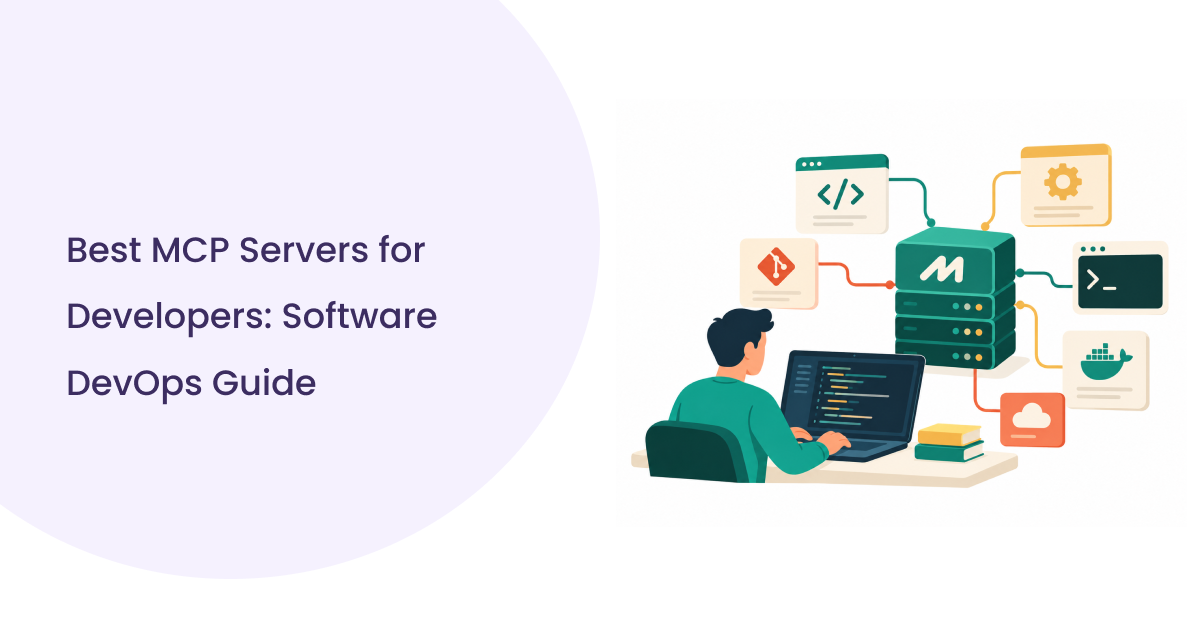
Model Context Protocol (MCP) is an open standard that lets an AI model request data or trigger actions from external systems through one consistent interface. Instead of writing separate integration code for Slack, GitHub, and your internal database, you expose each as an AI MCP server, and the model talks to all of them the same way. This is the core idea behind MCP for web apps: one protocol, many connected tools.
This is the core idea behind MCP for web apps: one protocol, many connected tools. For a deeper look at how MCP web search works for AI agents in production, including developer workflows and best practices, see the full guide.
RAG (Retrieval-Augmented Generation) works differently. It retrieves relevant chunks of information from a knowledge base, usually a vector database, and feeds that content into the model’s prompt before generation. See how RAG pipelines connect to live web retrieval in production.
The difference matters. A static LLM answers from frozen weights. A retrieval-based LLM checks a live source first. When you combine MCP’s connectivity with RAG’s retrieval, you get external data integration for LLMs that is both current and grounded. That combination is what most people mean today when they talk about MCP for web apps in production.
Why MCP and RAG Work Better Together
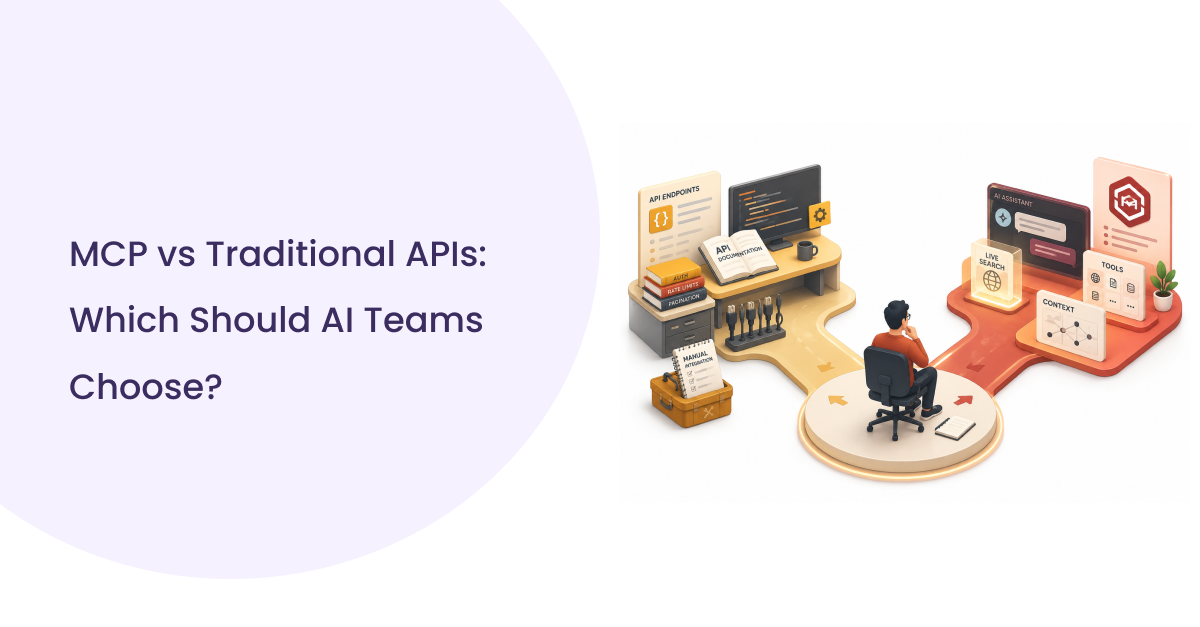
Traditional AI setups relied on custom API integrations for every data source, and each one needed separate authentication, error handling, and maintenance. That approach breaks fast once you add ten or twenty tools. It also means every new data source becomes a new engineering ticket.
Modern MCP for web apps architecture replaces this mess with one protocol layer. AI MCP server handles the connection to tools, RAG handles the retrieval of unstructured knowledge, and together they give the model a single unified context window built from live, relevant sources. That is the real synergy: MCP answers, “Which tool do I call?” RAG answers “What do I know?”
Here is the practical difference:
| Factor | Traditional API Integration | MCP for Web Apps with RAG |
| New tool setup | Custom code per tool | Standard MCP server |
| Maintenance | High, per integration | Low, shared protocol |
| Data freshness | Manual refresh | Real-time retrieval |
| Scaling to new sources | Slow | Fast |
| Context handling | Fragmented | Unified |
In my experience, teams that skip MCP and hardcode every integration end up rebuilding their AI layer every time a vendor changes an API. Standardizing on MCP early saves months of rework later.
MCP Architecture for Modern Web Apps
MCP for web apps follows a clear request flow: Frontend sends a user query, Backend routes it to an MCP Client, the MCP Client calls the correct MCP Server, and the Web MCP Server executes against external tools like a CRM, database, GitHub, Slack, or Drive.
Frontend Layer: The frontend captures the user’s query and displays the AI’s response. It has no direct access to external systems. Every request goes through the backend first, which keeps credentials and tool access off the client side entirely.
Backend Layer: The backend authenticates the user, manages session context, and forwards the request to the MCP client. This layer also logs every tool call for audit purposes, which becomes critical once you’re running MCP for web apps at scale with sensitive data flowing through.
MCP Client Layer: The MCP client is what actually speaks the protocol. It sends structured requests to one or more AI MCP servers and receives structured responses. Think of it as the translator between your application and every connected tool.
MCP Server Layer: Each MCP server exposes a specific set of capabilities. A CRM server exposes contact lookups. A GitHub server exposes repo search and issue creation. A vector database server exposes semantic search. This modular design is why MCP for web apps scales better than monolithic API wrappers, since adding a new tool means adding a new server, not rewriting core logic.
External Tools Layer: A CRM server exposes contact lookups. A GitHub server exposes repo search. A news monitoring server exposes real-time article retrieval. For a complete example of building an AI news monitoring pipeline on this architecture, see the full agent build guide.
A well-designed MCP layer means your AI never touches raw credentials, only scoped, permissioned tool calls. That single design choice prevents most of the security incidents teams worry about when connecting LLMs to production systems.
Building an AI Search System for Web Apps
An AI search system built for MCP for web apps follows eight steps, starting with document ingestion and ending with generated responses grounded in retrieved facts.
- Document ingestion pulls raw content from PDFs, websites, databases, or internal wikis into a processing pipeline.
- Chunking breaks that content into smaller, semantically coherent pieces, usually 200 to 500 tokens, so retrieval stays precise instead of returning entire documents.
- Embeddings convert each chunk into a vector representation using a model like OpenAI’s text embedding models or open source alternatives.
- Indexing stores these vectors in a vector database such as Pinecone, Weaviate, or Qdrant for fast similarity search.
- Retrieval pulls the top matching chunks for a given user query based on vector similarity.
- Reranking then reorders those results using a more precise model, since raw vector similarity alone often surfaces loosely related content.
- Prompt augmentation injects the reranked chunks into the model’s context window alongside the user’s original question.
- Response generation produces the final answer, grounded in retrieved data instead of the model’s training memory.
This pipeline is what powers semantic search integration in web apps, and it’s the backbone of every serious MCP for web apps deployment doing enterprise search or support automation today.
MCP Types Comparison
Not every MCP deployment looks the same, and picking the wrong type for your use case creates unnecessary latency or security exposure.
Browser MCP runs inside the user’s browser session and can interact with what’s on screen, including automating clicks or reading page content. It fits use cases like AI-assisted browsing agents but carries higher exposure to client-side risks.
Web MCP refers to MCP servers built specifically for web application backends, exposing APIs, databases, and business logic to the model through server-side calls. This is the most common setup for MCP for web apps in SaaS products.
Remote MCP servers run on separate infrastructure and are called over the network, useful when a tool needs its own scaling or lives with a third-party vendor.
Local MCP servers run on the same machine or network as the client, which reduces latency for high-frequency internal tools.
An AI MCP server is any server implementing the protocol to expose a specific capability, whether that’s a database query tool, a search tool, or a workflow automation tool.
| MCP Type | Best For | Latency | Security Surface |
| Browser MCP | On-page automation | Low | High |
| Web MCP | SaaS backend integration | Medium | Medium |
| Remote MCP | Third-party tools | Higher | Depends on the vendor |
| Local MCP | Internal high-frequency tools | Lowest | Low |
| AI MCP server | Any exposed capability | Varies | Varies |
If your app handles sensitive data, keep sensitive tools on Local MCP or Web MCP rather than Browser MCP. Client-side execution is convenient, but it’s also the easiest layer to exploit.
Best Architecture for AI-Powered Web Apps
A production-ready stack for MCP for web apps combines modern frontend, backend, AI, and observability tools to deliver scalable, reliable AI applications.
- Frontend (React or Next.js): Handles the user interface and streams AI responses in real time, reducing perceived latency and improving user experience.
- Backend (FastAPI): Manages authentication, request routing, and orchestration between the MCP client and the AI model provider.
- MCP Server Layer: The MCP server architecture for web apps sits between FastAPI and data sources, exposing tools through a standardized interface instead of hardcoded integrations.
- Vector Database: Platforms like Pinecone or Weaviate power semantic retrieval for Retrieval-Augmented Generation (RAG). For teams using LangChain and LlamaIndex integration with this stack, SERPHouse connects as a drop-in BaseTool or custom reader.
- Model Provider: AI models such as OpenAI, Claude, or Gemini generate responses using retrieved context and available tools.
- Redis Cache: Stores frequent queries and session state, significantly reducing repeated retrieval costs and improving response times.
- Authentication: OAuth or JWT-based authentication ensures only authorized users can access specific tools and resources.
- Observability Tools: Solutions like OpenTelemetry or LangSmith monitor every tool call and model response, making production debugging and performance monitoring much easier.
Skipping observability is one of the biggest mistakes when deploying MCP for web apps. Without end-to-end tracing, a failed tool call, poor retrieval, or model error can appear identical, making troubleshooting slower and more expensive.
MCP AI Applications: Benefits, Use Cases, and Challenges
MCP for web apps delivers real advantages in development speed and scalability, but it also introduces new operational risks that teams need to plan for before going live.
Benefits
Unified tool access means one protocol replaces dozens of custom integrations, cutting engineering overhead substantially. Faster development follows naturally since new tools plug into the existing MCP infrastructure instead of requiring new integration code.
Scalable AI systems become realistic because adding a new data source means adding a new MCP for web apps, not rearchitecting the app. Real-time context keeps answers current, since the model retrieves fresh data on every request instead of relying on stale training data.
Use Cases
- Customer support AI that pulls live order and account data before responding.
- Enterprise search across Drive, Slack, and internal wikis in one query.
- Healthcare assistants retrieve patient records through permissioned Web MCP servers.
- In MCP for web apps, finance AI pulls live transaction and reporting data.
- Real-time news monitoring for breaking alerts and brand coverage across multiple engines.
- Developer tools connect directly to GitHub and CI systems.
- HR automation queries employee records and policy documents.
- SaaS copilots are embedded directly inside product workflows.
These are the patterns the AI agents use case page covers end-to-end.
Challenges
Security risks grow with every new tool connection, since each Web MCP server is a potential attack surface. In MCP for web apps, Latency increases when multiple tool calls chain together before generating a final response.
Latency increases when multiple tool calls chain together before generating a final response. Cost adds up quickly across embedding generation, vector storage, and model calls. API rate limits and quota management become a production concern once multiple users share the same MCP search layer.
Security Best Practices
Every MCP for web apps deployment needs authentication at the protocol level, since MCP servers can execute real actions on real data.
MCP authentication should use scoped tokens per server, never a single master credential shared across every tool. Role-based access ensures a support agent’s AI assistant can’t accidentally query finance data it was never meant to touch.
API isolation keeps each MCP server sandboxed so a compromised tool can’t cascade into others. Encryption should cover data in transit and at rest across every layer of the pipeline, including vector database storage.
Audit logs record every tool call, every query, and every response, which becomes essential during incident response. Treat every Web MCP server like a production API with its own security review. Teams that skip this step are the ones that end up in breach reports.
Top MCP AI Companies
Several companies now build retrieval, search, and vertical-specific infrastructure purpose-built for MCP for web apps and AI agents.
SERPHouse
SERPHouse is built for teams that need real-time search data wired directly into AI retrieval pipelines without custom scraping work.
It focuses on developer-first infrastructure that plugs into RAG and MCP for web app setups with minimal configuration.
Key Features:
- Real-time search data feeds.
- AI-ready data pipelines.
- Scalable query infrastructure for high-volume retrieval.
Best For: Teams building web MCP search layers who want structured data without maintaining their own scraping stack.
Tavily AI
Tavily AI is a search API purpose-built for LLM agents that need fast, structured web results instead of raw HTML to parse.
It strips out the cleanup work most search APIs leave to developers, making MCP for web apps faster and easier to implement.
Key Features:
- Agent optimized search responses.
- Low-latency retrieval for real-time queries.
- Structured output built for direct prompt injection.
Best For: Developer teams running autonomous agents that need fast, clean search results inside an AI MCP server pipeline.
Exa
Exa, formerly Metaphor, runs on neural retrieval instead of keyword matching, which surfaces semantically relevant results even when queries don’t share exact terms with the source content. This matters most for research-heavy applications.
Key Features:
- Neural, meaning-based search.
- High relevance to complex or abstract queries.
- API built for programmatic retrieval.
Best For: Research and enterprise search tools where keyword search misses context.
Brave Search API
For MCP for web apps, Brave Search API gives developers an independent web index instead of routing every query through Google’s infrastructure. That independence matters for teams that want retrieval results without a single point of dependency.
Key Features:
- Independent web index.
- Privacy-focused data handling.
- Developer-friendly pricing tiers.
Best For: Apps that need search diversity and don’t want a single vendor controlling result quality.
Kagi Search API
Kagi Search API runs on a paid, ad-free model, which translates into cleaner, less manipulated search results for retrieval pipelines. Teams using MCP for web apps report fewer irrelevant or spam-heavy results compared to ad-supported search APIs.
Key Features:
- Ad-free, subscription-funded index.
- Higher signal, lower spam results.
- Consistent result quality across queries.
Best For: Teams building browser MCP or research tools where result quality matters more than raw query volume.
Kyruus Health
Kyruus Health is designed for healthcare organizations that manage complex provider networks and referral pathways. While this healthcare CRM software includes patient engagement CRM capabilities, its primary strength lies in accurate referral routing and provider matching.
Key Features:
- Advanced referral management.
- Intelligent provider search and matching.
- Enterprise referral analytics.
Best For: Multi-specialty groups and health systems with complex referral workflows.
All six prioritize clean, structured output that plugs directly into an AI MCP server without heavy post-processing, whether the use case is general web retrieval or a specific vertical like healthcare.
Cost Factors of AI Search Systems
Running MCP for web apps at scale comes with real, recurring costs across several categories that teams underestimate until the first invoice arrives.
| Cost Category | What Drives It | How to Control It |
| LLM cost | Token volume, prompt length | Cap retrieved chunk count |
| Embedding cost | Content volume, re-embedding frequency | Batch and schedule embedding jobs |
| Vector DB cost | Stored vectors, query volume | Prune stale or duplicate vectors |
| Hosting | Backend, MCP servers, local models | Right-size infrastructure to the actual load |
| Monitoring | Tooling, log retention | Set retention limits on trace data |
| Scaling | Traffic spikes, concurrent users | Cache repeated queries |
LLM and Embedding Cost
LLM cost scales with token volume, and MCP for web apps deployments with retrieval-heavy applications can burn tokens quickly because every retrieved chunk is added directly to the prompt.
Embedding cost depends on how much content you’re indexing and how often you re-embed updated documents, so unnecessary re-embedding quietly inflates the bill.
Infrastructure and Scaling Cost
Vector DB cost grows with the number of stored vectors and query volume against them. Hosting costs cover your backend, MCP servers, and any local model infrastructure you run yourself, and scaling costs rise sharply once you cross from prototype traffic to production load.
The fastest way to control cost is by caching repeated queries and capping the retrieval chunk count, not switching to a cheaper model. Most cost overruns come from retrieval bloat.
How to Choose the Right MCP Vendor
Picking a vendor for MCP for web apps comes down to five practical factors that determine whether the integration holds up under real production load.
MCP compatibility: Native protocol support avoids custom integration work later.
Scalability: The vendor should handle your query volume without latency spikes during peak traffic.
Pricing model: Match usage pattern, since flat rate pricing costs more at low volume and less at high volume.
API quality: Documentation, uptime, and response consistency directly affect engineering time spent on workarounds.
Ecosystem support: Active community adoption and existing Web MCP server libraries save significant build time.
Vendors with active AI MCP server ecosystems will always beat vendors requiring custom wrappers, even if the raw API looks similar on paper.
SERPHouse for MCP and Web Search Infrastructure
SERPHouse gives teams building MCP for web apps a ready-made Web search API and data layer instead of stitching together separate scrapers and APIs.
- SERP API infrastructure designed for high query volume without custom engineering.
- Real-time search data feeds are structured for direct AI retrieval.
- AI-ready data pipelines built to plug into existing RAG and MCP workflows.
- Scalable infrastructure designed for high query volume without custom engineering.
Book a walkthrough to see how SERPHouse fits into your existing MCP for web apps stack before you build a search layer from scratch.
Conclusion
MCP for web apps paired with RAG fixes the core problem static AI never solved: answers built on live, accurate data instead of frozen training snapshots. The architecture is proven, adoption is accelerating, and the cost of waiting shows up later as a rebuild. Teams that standardize on Web MCP now skip the custom integration cycle that traditional API stitching always demands down the line. Whatever your current setup looks like, the shift toward connected retrieval is worth planning around today. Let’s talk through what your current stack needs before you start building.
FAQs
Do I need MCP if I already have working API integrations?
Not immediately. If you’re running two or three integrations, custom code still works fine. MCP starts paying off past five or six tools, when the maintenance time spent per integration outweighs the setup cost of a protocol layer.
How long does it take to add MCP to an existing web app?
A single MCP server for one tool usually takes a few days, including testing. Full migration from custom integrations to MCP across a stack takes longer, typically two to six weeks, depending on how many tools you’re replacing.
Will MCP lock me into one AI provider?
No, that’s the opposite of what it does. MCP for web apps stays provider agnostic, so switching from one model to another means changing the model call, not rebuilding every tool connection your app depends on.
Does adding MCP slow down response times?
Yes, slightly, since each tool call adds a network round-trip. Chaining three or four tool calls before generating a response can add noticeable latency, which is why caching and parallel tool calls matter in production setups.
Is MCP worth it for a small team or an early-stage product?
Depends on growth plans. If you’re adding a new data source every few months, custom code is faster in the short term. If you expect to connect ten plus tools within a year, building on MCP for web apps now saves a rebuild later.
What breaks first when MCP setups fail in production?
Usually, authentication scoping, not the protocol itself. Teams grant broad access to move fast, then a compromised or misconfigured server exposes more than intended. Scoped tokens per server prevent most incidents teams actually run into.