
Table of Contents
Table of Contents
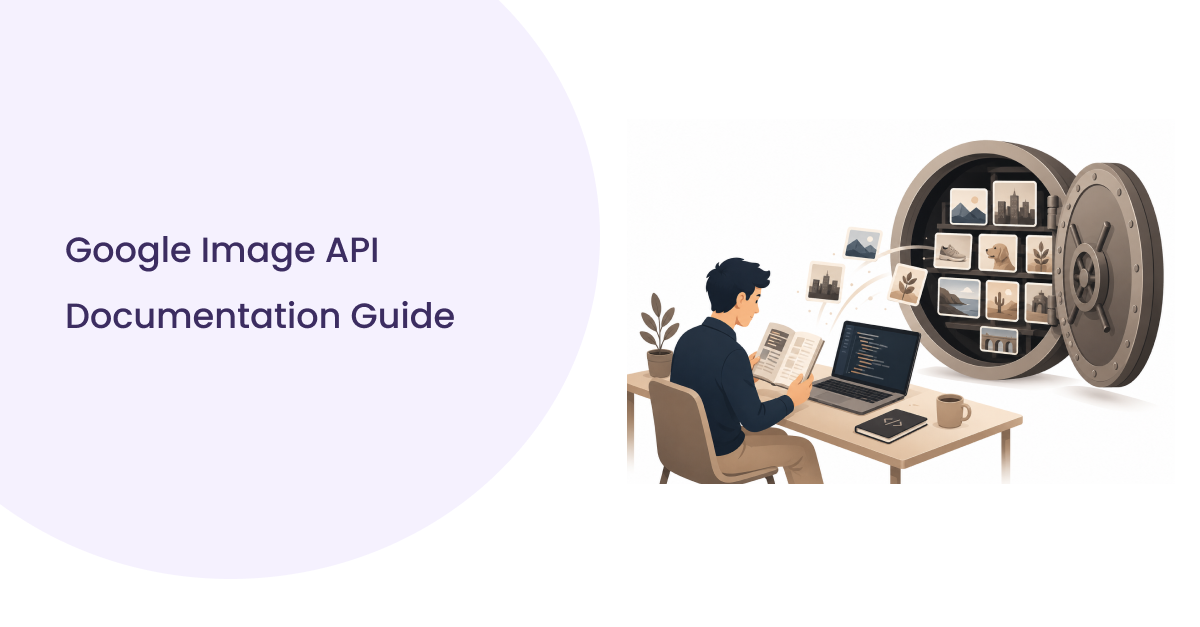
You’ve probably landed here after the same thing happened to most of us at least once: a product manager asks for “just a quick image search feature,” you go looking for Google Image API documentation, and thirty minutes later you have six browser tabs open, two of them contradicting each other, and no working request yet.
That’s not because Google Image search is technically hard. It’s because “Google Image API documentation” isn’t one single, obvious thing. Google doesn’t ship an official, standalone Image Search API the way it ships, say, the YouTube Data API. What developers actually work with is a mix of Custom Search parameters, scraping-based SERP APIs, and third-party endpoints. SERP API fundamentals explain this landscape in detail, including how live vs. cached results differ, what pagination looks like across providers, and how to evaluate structured output quality. If nobody tells you that up front, you waste real time just figuring out which documentation you’re even supposed to be reading.
This guide is meant to close that gap. We’ll walk through what “Google Image API documentation” actually covers, how the request/response cycle works in practice, which parameters and response fields matter, how to test and troubleshoot a real integration, and what production-grade usage looks like once you’re past the prototype stage. Along the way, we’ll use SERPHouse’s Google Image Search API as a concrete, working example, not because it’s the only option, but because having one real endpoint to point at makes the abstract parts of API documentation click faster.
What Is Google Image API Documentation?
Google Image API documentation refers to the technical reference material endpoints, authentication requirements, request parameters, and response schemas, which explain how to programmatically query Google Images (or a Google-Images-based search service) and retrieve structured image search results in JSON or HTML format.
Good API documentation for an image search endpoint covers endpoints, authentication, request parameters, and response schemas. SERPHouse’s SERP API is the infrastructure layer that powers the image search endpoint this guide uses throughout.
- What is the endpoint? The URL, the HTTP method, and whether it’s REST-based
- How to authenticate? API key, bearer token, OAuth, or something else
- What you can send? Required and optional request parameters, with real examples
- What do you get back? The full response schema, field by field, including edge cases like empty results or errors
- What can go wrong? Rate limits, invalid parameter combinations, and how errors are surfaced
Developer Note: A lot of documentation stops at “here’s a sample request, here’s a sample response” and calls it done. That’s a start, not a finish. The documentation that actually saves you time also explains why a field exists (is loc_id interchangeable with loc, or does one take priority?), what happens on an empty result set, and what a partial or degraded response looks like. That’s the gap this guide tries to fill.
Why Developers Need Good API Documentation
It’s tempting to treat documentation as a reference you skim once and never open again. In practice, the quality of the documentation determines how much of your sprint gets eaten by an integration that should have taken an afternoon.
Faster implementation: Clear parameter tables and working code samples mean you’re writing your integration logic instead of reverse-engineering an endpoint through trial and error.
Fewer errors: Ambiguous docs lead to malformed requests missing required fields, wrong content types, and parameters that silently do nothing. Precise docs catch these before they hit production.
Easier testing: When response schemas are documented accurately, you can write mocks and tests against a stable contract instead of against whatever the API happened to return during your last manual test.
Better maintenance: APIs change. Good documentation versions its changes and tells you what’s deprecated, so your integration doesn’t quietly break six months from now.
Production readiness: Rate limits, error codes, and authentication edge cases only matter once real traffic hits your integration, and that’s exactly where thin documentation tends to leave the biggest gaps.
Understanding the Google Image API Workflow
Every Google-Images-based API integration follows roughly the same lifecycle, regardless of which provider you’re using underneath:
Your Application
↓
API Request (query + parameters)
↓
Authentication (API key/bearer token)
↓
Search Query Processing
↓
Image Results Retrieved
↓
Structured JSON Response
↓
Your Application (parses and displays results)
The part developers underestimate is everything between “send request” and “get JSON back.” That’s where domain selection (which Google TLD you’re querying), localization (language and country/location targeting), and pagination logic live and getting those wrong doesn’t throw an error; it just quietly returns the wrong results.
API Endpoints Explained
A Google Image API endpoint is typically a single POST (or GET, depending on the provider) route that accepts a search query and a set of configuration parameters, and returns image results.
Endpoint purpose: Retrieve real-time Google Image search results for a given query, formatted as either structured JSON or rendered HTML.
Request format: Most providers, including SERPHouse’s, use POST with a JSON body and a responseType path parameter to switch between JSON and HTML output. You’ll send:
- Headers an Authorization header (typically Bearer <YOUR_API_KEY>) and Content-Type: application/json
- Body your search term plus configuration fields like domain, language, and location
Required parameters: At a minimum, you need a search query (q), a target Google domain (domain), and a language (lang). Location is also required, but it’s flexible you supply either a location name (loc) or a numeric location ID (loc_id), not both.
Optional parameters: Pagination (page), date filtering (date_range), and enterprise features like NoTrace mode (no_trace) for providers that support disabling server-side logging of your search metadata.
Expected response: A JSON object with a top-level status, a search_metadata block (request ID, timestamps), a search_parameters block (echoing back what was actually searched, useful for debugging), and a results array containing the individual image results.
Common Mistake: Treating the domain as cosmetic. It isn’t google.com, and google.co.uk can return meaningfully different image rankings and sources for the same query. If your product targets a specific market, set the domain deliberately instead of leaving it at the default.
Do not treat this section as a substitute for reading your provider’s actual parameter reference, which will have the authoritative, up-to-date field list. What matters here is understanding the shape of the request so the official docs make sense faster.
Request Parameters Developers Should Know
Here’s what the parameters you’ll actually touch day to day are for, in plain terms:
- Query (q): the search phrase. This is the only parameter that changes what you’re searching for; everything else changes how the search is scoped.
- Domain: which Google country domain to query against (e.g., google.com, google.co.jp). Most providers expose a separate endpoint listing supported domains and worldwide location targeting options, so you’re not guessing at valid values.
- Language (lang): the interface/results language, e.g. en for English, fr for French. This affects which images result and titles come back, not just how they’re labelled.
- Location (loc or loc_id): geographic targeting for the search. This is required by most providers, and you typically choose one or the other, not both, a location name string or a numeric location ID from a lookup endpoint.
- Safe Search: filters explicit content out of results. Always confirm the default behavior; some APIs default it on, others off, and that distinction matters for anything user-facing.
- Pagination (page): which results page to retrieve. Without it, you’ll only ever get the first page, which is a common cause of “why do I only get 10-20 results?” support tickets.
- Device: some providers let you simulate desktop vs. mobile search context, which can change image ranking.
- Date range: restricts results to a time window (past hour, day, week, month, year, or a custom date range), useful for news-adjacent or trend-monitoring use cases.
- Image size/type: filtering by dimensions or format (photo, clipart, line drawing), if the provider supports it, is useful for use cases like ecommerce or design asset discovery where irrelevant formats are noise.
API Tip: Build your parameter object as a named config in code (not inline in every call) so that switching markets, languages, or safe-search behaviour is a one-line change instead of a find-and-replace across your codebase.
Understanding the JSON Response
This is the part developers spend the most time debugging, because it’s where assumptions from other JSON APIs quietly break your parsing logic. Here’s what a well-formed image result object typically contains, and why each field matters:
- Title the image’s descriptive title, usually pulled from the source page. Useful for display and for basic relevance filtering.
- source / source_url the site or publisher hosting the image, and the page it was found on. This is critical for attribution, licensing checks, and click-through logic; never skip surfacing this if your use case touches copyright-sensitive content.
- src the actual image data or URL. Depending on the provider, this can come back as a hosted URL or as inline base64-encoded image data. This distinction matters a lot for performance: base64 payloads bloat your response size fast if you’re pulling many results, so check which format your provider returns before you build a UI that assumes lightweight URLs.
- Position the image’s rank in the result set. Essential for SEO monitoring and competitive analysis use cases where an image rank is the actual signal you care about.
- alt alt text associated with the image is useful for accessibility-aware applications and for an additional relevance signal.
- licensable a flag that some providers include to indicate whether the image is marked as available for licensing. Worth checking explicitly if your application reuses images rather than just linking to them.
- search_metadata request-level info: a unique ID, creation timestamp, processing timestamp. Log this. It’s what you’ll need when debugging a specific failed or unexpected request after the fact.
- search_parameters the provider’s echo of what was actually searched (resolved domain, language, country, the exact query URL). This is your fastest debugging tool: if results look wrong, check this block before you check your own code.
JSON Example Box
Troubleshooting Box: If results. results comes back as an empty array, but status still says success; that’s not a bug in your code; it’s Google Images returning zero matches for that specific query/domain/language/location combination. Before assuming your integration is broken, try the same query manually in a browser using the same domain and language settings.
Example Requests
cURL
This is the fastest way to sanity-check an integration before writing any application code. If this doesn’t return the shape you expect, the problem is in your parameters or auth, not your app.
Python
Wrap the request in a try/except for requests.exceptions.Timeout and requests.exceptions.HTTPError before this goes anywhere near production, Python’s requests won’t raise on a non-2xx status unless you explicitly call response.raise_for_status().
JavaScript
Node.js
Pro Tip: Keep your API key in an environment variable from your very first prototype, not just in production. Retrofitting secret management after a key has been hardcoded and committed is a much bigger headache than starting with process.env or os.environ from line one.
Common Errors and Troubleshooting
Authentication failures: Usually a malformed Authorization header missing the Bearer prefix, an expired key, or a key copy-pasted with trailing whitespace. Double-check the header format matches the documentation exactly; this is the single most common first-integration failure.
Invalid requests/validation errors: Missing a required field (most often q, domain, or the location fields) returns a structured validation error naming the specific field. Read that field name; don’t assume; the error response usually tells you exactly what’s missing.
Empty responses: As covered above, a success status with zero results usually means the query genuinely has no matches for that domain/language/location combination, not a broken integration.
Rate limits: Most APIs throttle by requests-per-minute or by plan-level credit consumption. If you’re getting 402-style payment/credit errors, that’s usually a plan limit, not a bug. Check your account’s usage dashboard before debugging code.
Incorrect parameters: Sending both loc and loc_id, or neither, is a frequent mistake; most providers require exactly one. Similarly, an invalid domain value that isn’t in your provider’s supported list will fail silently or error, depending on implementation, so validate against the domains list rather than hardcoding a guess.
Best Practices for Production
Moving from “it works in Postman” to “it works reliably in production” means handling failure modes you don’t see in a demo.
Caching
Image search results don’t change second to second. Cache responses by query + parameter combination for a reasonable TTL (minutes to hours, depending on your use case) to cut both latency and API cost.
Retries
Use exponential backoff for transient failures (timeouts, 5xx errors) but don’t blindly retry on validation errors (4xx) or you’ll just repeat the same failure.
Rate-limit handling
Track your own request volume against your plan’s limits proactively, rather than reacting only after you start getting throttled.
Logging
Log the search_metadata.id (or equivalent request ID) from every response. When something goes wrong days later, this ID is what lets you or your provider’s support team trace the exact request.
Monitoring
Track error rates and empty-result rates over time, not just outright failures. A rising empty-result rate can signal a query pattern that’s stopped working before it becomes a full outage.
Error handling
Design your application to degrade gracefully, show cached or fallback results rather than a blank UI when the API is slow or briefly unavailable.
Security
Never expose your API key client-side. Route image search calls through your own backend so the key stays server-side, and rotate keys periodically.
Performance
If your provider returns base64-encoded image data inline (common for thumbnails), consider whether you actually need that payload size or whether fetching the source_url on demand is lighter for your use case.
Summary Box
Production readiness isn’t a separate feature; it’s the accumulation of small decisions (timeouts, caching, logging, graceful degradation) made before you actually need them.
Real-World Use Cases
SEO monitoring:
Track how your brand’s or client’s images rank in Google Image search for target keywords over time. Workflow: scheduled queries → position tracking → historical trend dashboard. Business value: visibility into an SEO channel most tools ignore in favour of text results.
Competitor analysis:
Monitor which competitors’ images are ranking for shared target queries, and which sources are getting picked up. Workflow: query the same term set across competitors → compare source domains and positions. Business value: early signal on competitor content strategy shifts.
Visual search:
Power a “find similar” or reverse-image-adjacent feature by combining image metadata with your own catalog. Workflow: extract descriptive terms from a source image → query Image Search → match results against your inventory. Business value: richer product discovery without building an image-recognition model from scratch.
Brand monitoring:
Detect unauthorized use of brand assets or logos across the web. Workflow: scheduled queries against brand-related terms → flag unexpected sources. Business value: faster response to trademark or brand-misuse issues.
Ecommerce:
Pull competitive product imagery for market research or catalog enrichment. Workflow: query by product category/name → filter by image type/size → feed into merchandising tools. Business value: faster competitive pricing and assortment research.
AI applications:
Feed image search results into a training or retrieval pipeline, for example, sourcing reference images for a computer vision dataset. Workflow: bulk query across a taxonomy of terms → dedupe and filter by metadata → structured dataset output. Business value: faster dataset bootstrapping than manual collection.
Market research:
Track visual trends in a given industry by monitoring which image types and sources dominate search results over time. Workflow: recurring queries → aggregate metadata → trend report. Business value: qualitative market signal that complements text-based research.
Why Developers Choose SERPHouse
Once you understand what an image search API actually needs to do accept a query and localization parameters, authenticate the request, and return a predictable JSON schema, the thing that actually differentiates providers isn’t the concept; it’s the execution of the documentation and the response itself.
SERPHouse’s Google Image API follows the request/response pattern covered throughout this guide: a single POST endpoint, a straightforward bearer-token auth header, and a JSON response that echoes back your exact search parameters alongside the results, which, as noted earlier, is one of the fastest ways to debug an integration without extra tooling. The response includes the metadata fields (position, source, source_url, licensable) that the real-world use cases above actually depend on, rather than a stripped-down result set that forces you to make extra calls elsewhere.
For developers integrating image search into an existing pipeline, what matters day to day is fewer surprises: predictable field names, a documented location/domain model, and clear error payloads when a request is malformed. That’s the baseline. This guide describes SERPHouse’s documentation, which is simply where you’ll find the current, authoritative parameter and domain lists referenced throughout this article.