
Table of Contents
Table of Contents
TLDR: Google search parameters decide which SERP you actually measure. Set query, country, language, location, and device on every request and store them with each ranking. A ranking saved without its request settings can’t be audited or trusted.
Your rank tracker is wrong if it stores only the keyword. A ranking without country, language, city, and device is a number with no address. Most SERP data breaks at the request layer, long before anyone builds a report, because teams send a query and trust the defaults.
Google search parameters close that gap. They turn a loose search into a repeatable measurement you can compare with confidence next week. One missing country value can push a “page one” keyword to page three with zero change in real visibility. The fix takes minutes. Skipping it costs quarters of decisions built on the wrong SERP.
This guide explains how Google search parameters work in raw URLs and SERP APIs, then lays out a six-step configuration test you can run on your own keywords.
Understanding Google Search Parameters
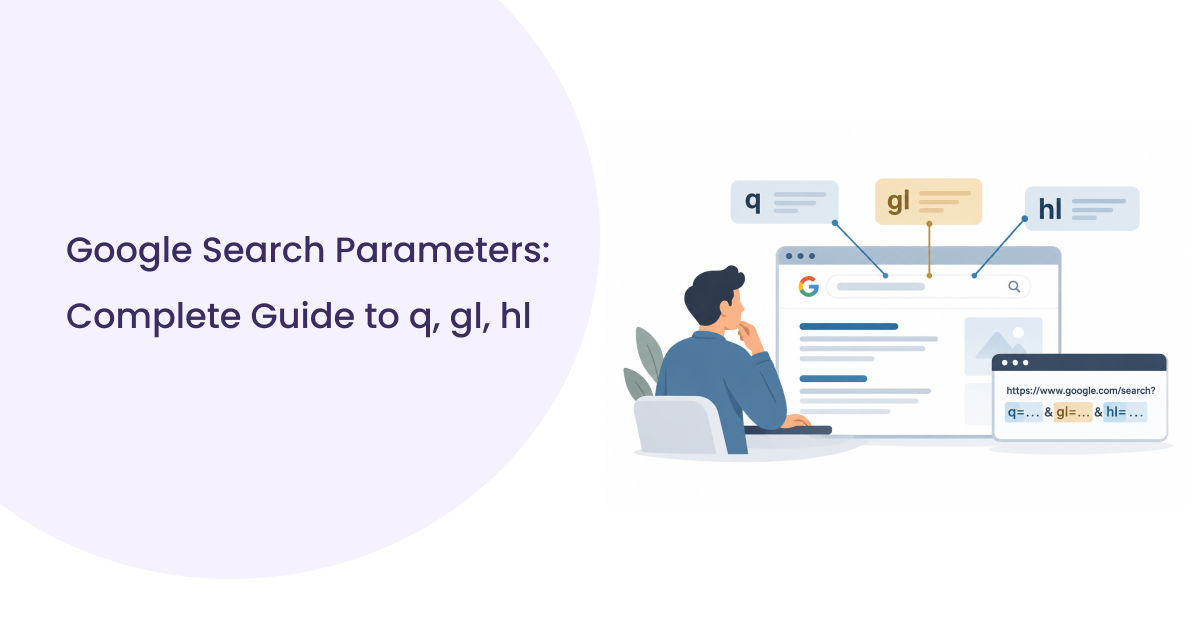
Google search parameters are the inputs that define a SERP: query, country, language, location, device, and page position. Change one of them and Google can return a different result set for the same keyword.
| Parameter | What It Controls | Example | Practical Note |
| q | Search query | best+coffee+shops | Encode spaces and symbols. |
| gl | Country Google weights results toward | in | A ranking hint for one market. |
| hl | Interface language | en | Shapes labels and snippets more than order. |
| uule | Encoded precise location | w+CAIQICI… | Built from Google’s canonical location names. |
| device | Desktop or mobile layout | mobile | Set through the user agent, with no URL field. |
| start | Result offset | 10 | Returns results 11 to 20. |
| num | Results per page | 10 | Since September 2025, Google largely ignores values above 10. |
A careful team stores all Google search parameters next to each ranking, like finance stores a currency next to an amount.
Google search URL parameters travel in the address bar straight to Google. SERP API parameters are a provider’s own field names. The provider translates them into a Google URL, picks a matching proxy, and sets the user agent for your chosen device.
Learn the raw Google search URL parameters first. When API output looks odd, you debug faster once you know what actually reached Google.
Sample Request With Key Parameters
Here is a raw Google URL, followed by the same search sent as a JSON body to SERPHouse’s Google web endpoint.
This is a request-body example, not a complete executable API call. A working call also needs the correct endpoint, authentication header, and HTTP method.
| Google parameter | SERPHouse field | Review |
| q | q | Direct match. |
| hl | lang | Similar language mapping. |
| gl | Derived from domain or location settings | No direct one-to-one equivalent. |
| uule | loc or loc_id | Location is mapped through the provider. |
| User agent | device | Device profile is selected through the provider. |
| start | page | Requires parameter conversion. |
| num | num_result | Subject to provider-specific result limits. |
Map your SERP API parameters once, lock that mapping in code, and treat Google search parameters as part of the keyword record. Country and language cause the most confusion, so they come next.
gl vs hl: Country and Language
gl is the country code Google uses to weight results toward one market. Set gl=in, and Google favors Indian domains, Indian businesses, and SERP features built for Indian searchers, while the interface language stays the same.
Think of gl as a strong ranking hint. It boosts relevance for a market without hard filtering other countries out, which explains why a few global brands survive every country switch. Among all Google search parameters, gl often moves local intent rankings the most.
hl vs gl: Interface Language Against Country Targeting
hl sets the language of Google’s interface, its labels, and often its snippets. gl sets the market. Read the google gl hl parameter pair as a grid with two axes, where each cell describes a different searcher.
| Combination | What You Get |
| gl=in, hl=en | English SERP for Indian searchers, with local brands and INR prices. |
| gl=us, hl=en | English SERP for US searchers, with US chains and USD prices. |
| gl=in, hl=hi | Hindi interface for the Indian market, mixed Hindi and English results. |
| gl=us, hl=hi | Hindi interface with US results, rarely useful and often misread. |
Leave one value empty and the provider fills it with a default, often US English. Google search parameters describe a real searcher only when both values match that searcher.
Common Mistakes With Localized SERPs
The most frequent error is using hl to target a country. hl=hi gives you a Hindi interface, while gl and location decide which market the results serve.
Codes trip people up next. gl=in means India, while hl=id means Indonesian. One wrong letter builds a dataset for the wrong market.
The costliest mistake happens over time. Teams change the google gl hl parameter pair halfway through a project and keep charting one line. That chart now joins two different datasets, and every trend on it is fiction.
Many localization errors start with request settings nobody reviewed. Audit your Google search parameters before you blame an algorithm update. Country gets you to the market. City targeting gets you to the customer.
Google reads location from several signals: gl for country, uule for a precise place, the request’s IP address, and, to a smaller degree, the Google domain. A clean Google search location parameter setup controls each signal explicitly.
| Level | Signal | Precision | Best Use |
| Country | gl | National | Market share tracking |
| State | Value with a state name | Regional | Regional brands |
| City | Value or a provider location field | City | Local SEO and store pages |
| Network | Proxy IP | Varies | Providers match it to the target location |
Google search parameters for location work as layers, and consistent layers produce consistent SERPs.
How the uule Parameter Works
The uule parameter encodes a canonical location name into a string Google reads as the searcher’s position. Building one by hand takes four steps:
- Find the canonical name in Google Ads geotarget data, for example “Mumbai, Maharashtra, India”.
- Start with the prefix w+CAIQICI.
- Add a key character that matches the byte length of the name.
- Append the name encoded in base64.
A wrong key character sends Google to the wrong place or makes it ignore the location entirely. That fragility makes location the hardest of all Google search parameters to manage by hand. Most teams pass a city name to their provider and let it handle encoding.
Location Precedence and Why Results Still Differ
Precedence depends on the request mechanism and the provider. A valid uule generally outweighs the IP address, and gl still pushes ranking toward its country. When gl points to one country and the city sits in another, Google blends conflicting signals, and the output may match no typical local user. Keep country, language, and city aligned.
Identical requests also drift. Map packs rotate, fresh pages enter, and data centers return slightly different orders. Providers implement Google search parameters differently too, so read your provider’s location docs before comparing tools. Even well set Google search parameters leave some volatility, so sample more than once before calling a change.
Teams researching how to get localized Google results API workflows need three aligned inputs: language, country, and a canonical city name sent through one documented provider field.
Device Targeting and Pagination
Desktop vs Mobile
Google has no device URL parameter. It reads the user agent, and a mobile user agent returns a different layout, different SERP features, and often a different organic order than desktop.
Mobile SERPs stack more features above the first organic link, so position 3 on mobile can sit below the fold. Track feature count next to rank, and choose the device your buyers actually use. For local consumer queries in India, that means mobile almost every time. Device belongs in your Google search parameters log right next to country.
Pagination and Result Depth
Pagination is the most overlooked of the Google search parameters. Google’s start value counts results, while most APIs count pages, so start=10 equals page 2.
Depth changed in September 2025, when Google largely stopped honoring num=100 in raw requests. Providers adapted in different ways. SERPHouse accepts 1 to 10 results per page and offers a separate top 100 endpoint that pages through results for you. Check your provider’s behavior before you budget credits, because 100 positions can now take 10 page requests.
Requested vs Returned Results
Ask for 10 results, and you often receive 8 or 9 organic links. Featured snippets, map packs, AI Overviews, and People Also Ask blocks take space on page one. Some providers count only organic links, and others count every block. Confirm that definition before you compare two tools side by side.
Consistency Checks at Scale
Google reshuffles between page requests, so one URL can appear on both page 1 and page 2. Dedupe by URL and keep the better position. Pull all pages within one short window, keep the similar result filter fixed, and store the response metadata. This trimmed SERPHouse response shows the fields worth keeping:
Save the request ID, the timestamp, the echoed settings, and each position with its link. Locked Google search parameters plus a timestamp turn a ranking export into an audit trail. The next step puts each setting under a controlled test.
Testing Six SERP Configurations
Run a reproducible test across six SERP configurations, changing one Google search parameter at a time against a fixed baseline to isolate its impact.
The Test Setup
This is a reproducible experiment you can run on your own keywords. It changes one of the Google search parameters at a time against a fixed baseline, so each difference points to a single cause.
The query is “best coffee shops,” because local intent makes every setting’s effect visible. All six sets share the same query, a depth of 10, the default similar result filter, and a one-hour retrieval window.
| Set | Country | Language | City | Device | Change From A |
| A | in | en | none | desktop | Fixed baseline. |
| B | us | en | none | desktop | Country only. |
| C | in | hi | none | desktop | Language only. |
| D | in | en | Mumbai | desktop | City only. |
| E | in | en | none | mobile | Device only. |
| F | in | hi | Mumbai | mobile | Language, city, and device together. |
Set F keeps country fixed on purpose. Pairing a US country value with a Mumbai location mixes conflicting signals and blurs the reading.
Before you compare anything, run set A five times across the window. The overlap between those repeats is your noise floor. Any difference smaller than that floor counts as noise.
What to Record and Score
For every run, save the top 10 organic URLs with positions, the SERP features present, the timestamp, and the exact request body. Then score each set against A.
| Metric | Calculation | What It Reveals |
| Top 10 overlap | Shared URLs divided by 10. | How much one change replaces the result set. |
| Average rank shift | Mean absolute position change of shared URLs. | How far the order moves. |
| New entries | URLs absent from set A. | Competitors that setting exposes. |
| Feature changes | Map pack, snippet, AI Overview, PAA. | Visibility above organic links. |
Hypotheses to Test
These are expected outcomes, written so your own data can confirm or reject them.
| Comparison | Hypothesis |
| A vs B | Country produces a large swing, with US guides replacing Indian ones. |
| A vs C | Language changes snippets and labels more than ranking order. |
| A vs D | City fills the map pack with Mumbai cafes and tilts organic results toward city guides. |
| A vs E | Device keeps most domains but reorders them and adds features above organic. |
| A vs F | Combined changes produce the lowest overlap of all six sets. |
A hypothesis counts as confirmed only when its difference clears the noise floor from your repeated baseline.
A clean run shows how much each of your Google search parameters moves one query on one day. It can’t capture signed-in personalization, predict clicks, or generalize to queries with different intent. Repeat it monthly on your top revenue keywords, and the trend becomes more valuable than any single snapshot. Teams that rerun the test after every tracking change catch misconfigured Google search parameters long before a client sees the report.
Checklist for Consistent Requests
- Define query, country, language, city, and device on every request, with zero reliance on defaults.
- Use canonical location names from your provider’s location list, and keep country aligned with the city.
- Choose one pagination method and one depth for the whole project.
- Store the timestamp, request ID, and all Google search parameters with each result, then rerun a baseline to measure noise before reporting changes.
Conclusion
A ranking means nothing without the request that produced it. Country, language, city, device, and depth each reshape the SERP, and a missing value turns your report into a guess. Lock your Google search parameters, align country with city, and store each request with its result.
Then measure your noise floor before calling any movement real. Teams that treat Google search parameters as part of the data make faster and safer SEO decisions. Curious how your keywords shift across cities and devices? Let’s run the test together on SERPHouse