
Table of Contents
Table of Contents
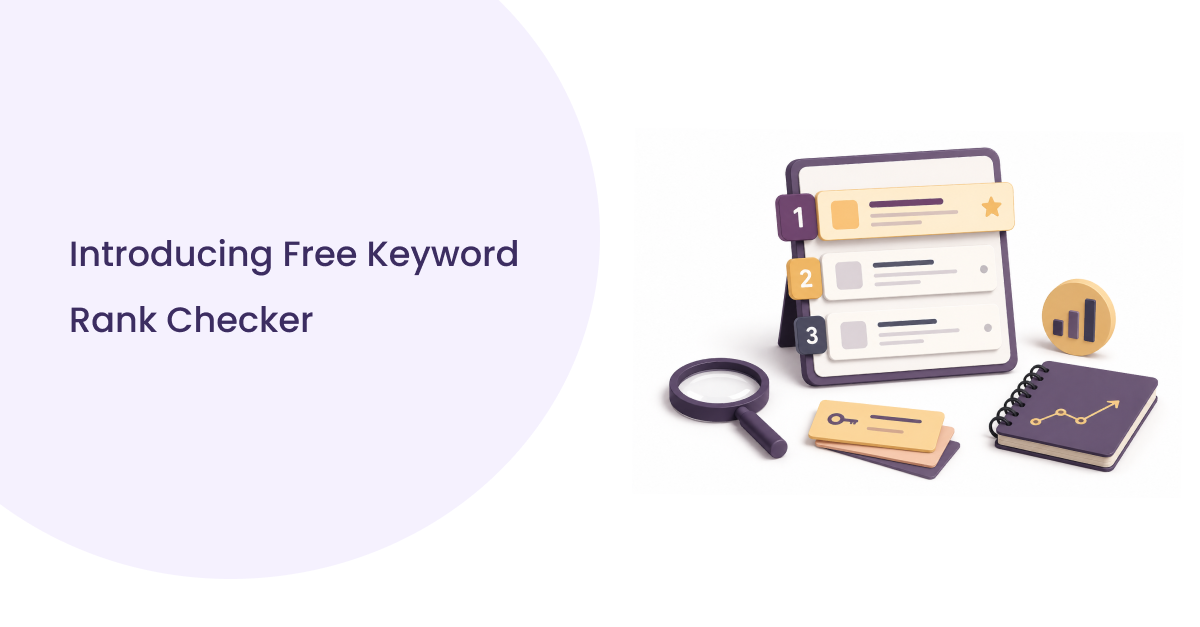
A free keyword rank checker looks up one keyword in Google and reports where a domain sits in the organic results for one location, one device, at one moment. That’s enough to answer a specific question right now. It’s not enough to track dozens of keywords over time, which is a different job with a different tool.
Below: how to run a free check in under a minute, what each field in the result actually tells you, why two people checking the same keyword can honestly see two different numbers, and when a single check stops being enough.
What a Free Keyword Rank Checker Actually Does
You give it a keyword and a domain. It runs that search usually from a fixed location and scans the results page until it finds a URL matching your domain, then reports the position.
That’s the whole mechanism. It isn’t crawling your site or analyzing why you rank. It’s reading one results page and reporting one number.
The number is a position, not a verdict. Position 3 for “running shoes for flat feet” tells you where a page sits among Google’s organic listings for that query, at that moment. It says nothing about search volume, clicks, or whether the ranking is worth anything commercially; that data lives in Search Console and analytics, not in a rank checker.
A single check is also a data point, not a trend. Track it daily and you have a trend. A free checker gives you the data point; building the trend from repeated checks is on you, unless you’re using a tool that stores history for you.
How to Check a Keyword Ranking for Free
- Enter the exact target keyword the wording you actually want to rank for, not a broader topic.
- Enter the domain or URL you’re checking.
- Select the search engine (most free checkers default to Google).
- Choose a location that matches your customer base, not your own city.
- Select a device, and check mobile and desktop separately rather than assuming they match.
- Run the check.
- Note the reported position, and whether it’s organic or sitting under a SERP feature.
- Record the ranking URL to confirm which page on your site actually ranked.
- Save the result somewhere outside the tool; today’s check needs something to compare against next time.
Step 9 is the one people skip most. A free checker shows you one point in time; that point becomes far more useful once you’ve got two or three more to compare it against.
What Your Result Actually Tells You
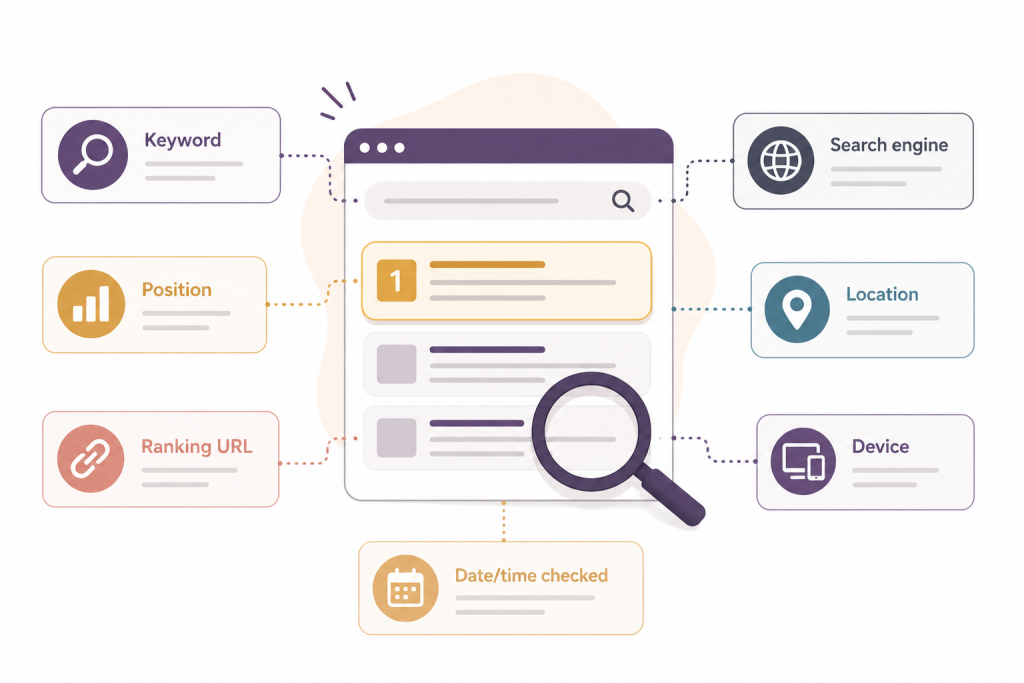
Position by itself is close to useless without a few fields next to it. A result worth trusting includes the keyword, the position, the exact URL that ranked, the search engine, the location and device used, and a timestamp.
| Field | Why it matters |
| Keyword | Small wording changes return different search results |
| Position | Where the URL sits organically separate from ads and most SERP features |
| Ranking URL | Confirms which page on your site actually ranked |
| Search engine | Google, Bing, and Yahoo rank differently for the same term |
| Location | Without it, position is close to meaningless for local terms |
| Device | Mobile and desktop results frequently diverge |
| Date/time checked | A position is a snapshot, not a fixed fact |
The field people skip past is the ranking URL and that’s a mistake, because it’s often the most diagnostic thing in the result. Say you’re targeting a keyword with a blog post, but the check keeps returning your pricing page instead. That’s not a fluke. That’s two pages on your own site competing for the same query, and no amount of editing the blog post fixes it until you deal with the page that’s actually winning. A checker that shows only a position and skips the URL hides this problem completely.
Why the Same Keyword Returns Different Results for Different People
Two people checking “emergency plumber” on the same day, from different places, will often see two different results pages and both can be right.
Location does the most damage to a naive check
Google is answering “who’s closest and most relevant to this searcher,” not “who wins this keyword nationally.” A plumber ranking #2 in Miami might not crack the top 20 for the identical search run from Tampa. Check from your own office and report that number to a client three states away, and you’ve measured the wrong market.
Device is the other major lever
It’s easy to overlook because most people default to whatever they’re staring at, usually desktop, for anyone working at a computer all day. Google indexes and ranks primarily off the mobile version of a page, and mobile results are laid out differently: more local packs, more People Also Ask, less room before the searcher has to scroll. A page holding position 4 on desktop can land at position 7 or 8 on mobile for the same query. For most local and ecommerce businesses, where traffic skews mobile, checking desktop only means checking the wrong page.
Signed-in search history adds a smaller layer on top of both
Google’s own ranking systems documentation lists context location and language among its standing input into how a results page gets assembled, separate from the relevance signals a page earns on its own.
Put those three together and the practical takeaway is blunt: checking a ranking from your own laptop, in your own city, signed into your own Google account, is close to the least useful way to check a ranking. It tells you what you see. It doesn’t tell you what your customer sees.
How Accurate Is a Free Rank Checker
Free rank checkers are accurate for the exact location, device, and moment they check and that accuracy narrows fast as soon as any of those three variables move.
Accuracy here doesn’t mean “matches what every visitor sees.” It means the tool queried Google under a defined location and device and reported exactly what came back on that results page at that time. Run the same check five minutes apart from the same city and you can legitimately get two different positions. Google updates results continuously, and some pages move more than others.
Most of the variation traces back to a handful of things: how precise the location targeting is (country-level is far looser than city-level for anything local), a device mismatch nobody noticed, personalization on a signed-in check, and how fresh the data is (checked on demand vs. on a schedule).
This is also why a single rank check and a Search Console average rarely land on the same number, and neither one is wrong. Search Console reports position as an average blended across every location, device, and query variation that triggered an impression for that term. A rank checker reports one specific context. If Search Console shows an average position of 4.2 for a query and a checker shows position 6 for the same query from one city on desktop, that’s not a contradiction; it’s two different, correctly measured things.
None of this makes free checkers unreliable. It means the number should be read as “the position for this exact context,” not “our ranking.”
Free Rank Checker vs. Automated Rank Tracking
A free rank checker answers one question about one keyword, right now. A rank tracker answers how many keywords are moving, in which direction, across whatever locations and devices you define, on a repeating schedule.
| Free Rank Checker | Automated Rank Tracker | |
| Keywords per check | Usually one, sometimes a handful | Dozens to thousands |
| Frequency | Manual, on demand | Scheduled — daily, weekly, custom |
| Historical data | None; each check stands alone | Retained over time |
| Locations/devices | One combination at a time | Multiple, run in parallel |
| Competitor tracking | Rare | Common |
| Reporting | Manual copy/paste | Exportable or automated |
| Best fit | Individual checks, spot-checks, learning the mechanics | Agencies, multi-site portfolios, ongoing monitoring |
The dividing line isn’t skill, it’s repetition. A freelancer tracking 15 keywords for one client can do that by hand indefinitely without much pain. An agency tracking 15 keywords across 20 clients can’t, not because the work is harder, but because it’s the same work done 20 times over, every week.
A practical way to decide: if you’re checking the same keyword more than once or twice a week, or checking it across more than one city or device, a free checker is now costing you more time than a scheduled tracker would. If it’s a one-off question confirming a page ranks before a client call, checking whether a title change moved anything, a free checker is the right tool and a tracker would be overkill.
Common Mistakes When Checking Keyword Rankings
- Checking only from your own location and assuming it represents your customers
- Comparing a mobile result to a desktop expectation, or vice versa
- Ignoring the ranking URL and assuming the page you intended is the one that ranked
- Treating one check as a trend a single position tells you today, not a direction
- Ignoring SERP features: position 1 under three ads and a local pack behaves differently than position 1 on a clean results page
- Comparing rankings checked from different locations or devices across two dates and calling the difference a “drop” or “gain”
- Tracking dozens of loosely related keywords instead of the handful that actually drive the business
- Making a strategy call reallocating budget, rewriting a page, alerting a client from one data point
Where SERPHouse Fits
A free check is the right tool for a single question. Once the same check needs to run across dozens or hundreds of keywords, multiple locations, and a recurring schedule, reopening a tool every morning stops being practical. That’s the point where the work shifts from “run a check” to “review what changed.”
SERPHouse’s Keyword Rank Tracker is built for that second stage. It runs inside Google Sheets, so the output is a spreadsheet, not a separate dashboard. Keywords, positions, ranking URLs, and history stay in a format that’s already part of most SEO reporting. Checks run on a schedule across defined locations and devices, and the history builds itself instead of requiring a manual log.
For teams that want the data feeding their own dashboards instead of a spreadsheet, SERPHouse’s SERP API returns the same position, URL, and SERP-feature data as structured JSON, with location and device targeting built in.
The move from checking by hand usually comes down to one specific trigger: a client asks for ranking history, a keyword list outgrows what’s practical to check by hand, or a report needs to show change over time instead of a single number.
FAQ
What is a free keyword rank checker?
A tool that looks up a keyword in Google and reports where a specific domain or URL appears in the organic results, for a single location, device, and point in time, at no cost.
How can I check my Google ranking for free?
Enter your target keyword and domain into a free checker, choose a search engine, location, and device that match your actual audience, and run the check. Record the position and the ranking URL so you have something to compare against later.
How accurate are free keyword rank checkers?
They’re accurate for the exact location, device, and moment checked, but positions shift with personalization, location precision, and Google’s own real-time changes. Treat any single check as a snapshot of one context, not a permanent ranking, and not directly comparable to a Search Console average, which blends many contexts together.
Can I check rankings by location?
Most free checkers support country-level targeting, and some support city-level. Location accuracy matters most for local intent, where results can differ significantly between two cities in the same country.
Can I check mobile and desktop rankings separately?
Better free checkers let you choose a device before running a check. Mobile and desktop results frequently differ in both order and layout, so check both rather than assuming they match.
What’s the difference between a rank checker and a rank tracker?
A rank checker returns one keyword’s position at the moment you run it, with no memory of past results. A rank tracker repeats that check on a schedule across many keywords and locations and keeps the history, so you can see direction, not just a snapshot.