
Table of Contents
Table of Contents
Most site audits start the same way. Open the crawler, point it at the homepage, let it run and wait. On a small site that workflow is fine. On anything with tens of thousands of URLs, filtered navigation, multiple page templates or a recent migration behind it, that approach produces a report that is broad, slow and full of data about pages that were never the priority.
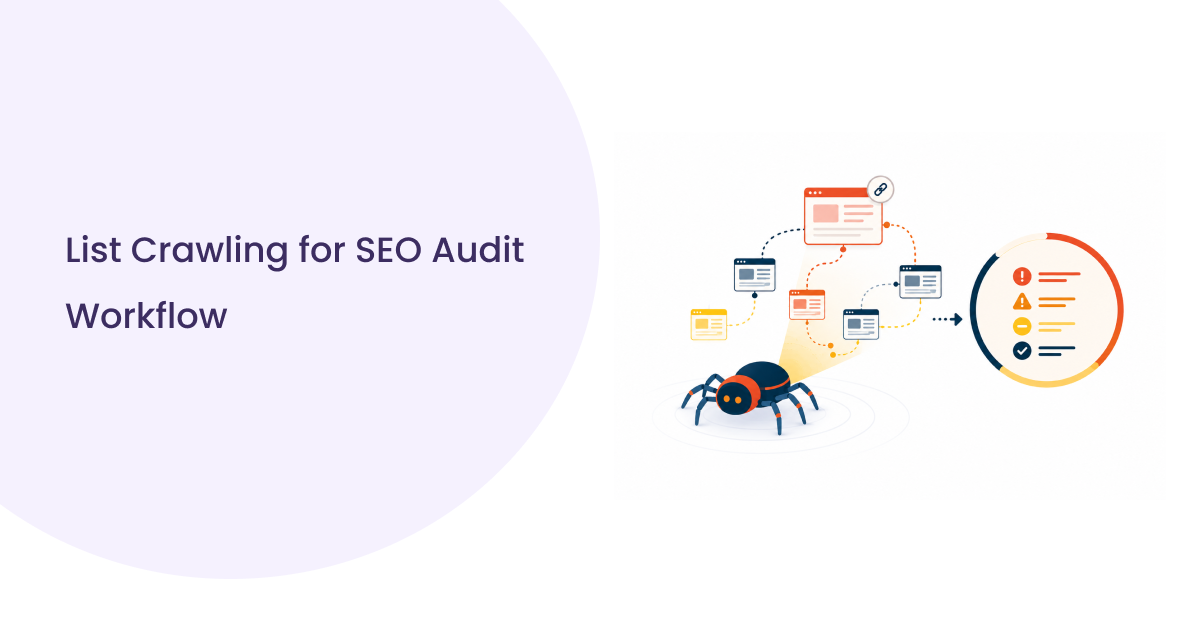
List crawling changes the starting point. Instead of asking the crawler to discover what exists, you tell it exactly what to audit. The result is faster, more targeted and directly tied to the URLs that actually matter to your SEO strategy.
This guide covers how list crawling works inside real audit workflows, where it outperforms full site crawls, where it falls short and how US SEO teams are combining both approaches to run more complete and efficient technical audits.
What List Crawling Actually Means in a Real SEO Workflow
Most SEOs have run a full site crawl, watched it spin for three hours and ended up with a report full of issues on pages that barely matter. List crawling for SEO solves that by flipping the process. Instead of letting the crawler decide what to visit, you hand it a specific set of URLs and it works through exactly that list, nothing more.
No discovery. No link following. Just the pages you care about, audited in the order you set.
How It Differs From a Standard Recursive Site Crawl
| Factor | Recursive Crawl | List Crawl |
| URL Discovery | Follows links across the site automatically | Works only from your provided URL set |
| Coverage | Broad but unpredictable in priority | Narrow and fully controlled |
| Speed | Slower on large sites | Faster, focused on defined scope |
| Best For | Full site discovery and gap finding | Targeted audits on known page sets |
When the Crawler Follows Your List Instead of Discovery Links
This matters most when you already know which URLs need attention.
Post migration validation, indexing checks against a GSC export, auditing a specific page template across ten thousand product pages. In every one of those situations a recursive crawl wastes time surfacing pages you did not ask about while the URLs that actually need checking sit somewhere in the queue.
List crawling puts your priorities first and keeps them there throughout the entire crawl run.
Why Full-Site Crawls Fall Short on Large or Complex Sites
Full site crawls are the default. They are also the reason most technical SEO audits take longer than they should and still come back incomplete. Understanding where they fail is what makes list crawling for SEO a more deliberate and effective choice on complex or large US sites.
On straightforward ten page sites that is fine. On a mid-size ecommerce store with filtered navigation, parameter URLs and staging leftovers still sitting in the index, a recursive crawl creates as many questions as it answers.
Crawl Budget Drain on Enterprise and Ecommerce Sites
Google does not crawl every page on your site every time it visits. It works within a crawl budget and on large US ecommerce and enterprise sites that budget gets consumed fast by the wrong pages.
Pagination variants. Filter combinations. Session parameters appended to URLs. Internal search result pages that should never have been indexable in the first place.
Your crawler behaves the same way. Point it at a large site without a defined URL scope and it follows every link it finds. By the time it finishes crawling faceted category pages four levels deep, the product pages driving actual revenue have been sitting in the queue for hours.
Dynamic URLs, Faceted Navigation and the Discovery Problem
Faceted navigation is where full site crawls get genuinely expensive.
A single category page with five filter dimensions can generate hundreds of unique URL combinations. Each one gets discovered, queued and crawled as a separate page. None of them typically carry meaningful SEO value. All of them consume crawl time that should have gone elsewhere.
The discovery problem compounds on sites using dynamic URL parameters for sorting, tracking or session management. The crawler has no way to know which parameter variants matter and which are duplicates of pages it already visited. It crawls them all.
List crawling sidesteps this entirely because it never follows links in the first place.

Situations Where List-Based Crawling Is the Right Call
Not every audit needs a full crawl. These are the situations where handing the crawler a list is the faster, cleaner and more accurate approach.
Post-Migration URL Validation at Scale
Post migration validation is one of the clearest cases for list crawling in SEO workflows. After a migration you are not trying to discover pages. You already know which URLs moved. What you need is confirmation that every one of them is responding correctly.
The validation workflow looks like this:
1. Export your pre-migration URL inventory from your old sitemap, GSC or crawl log
2. Map old URLs to their new destination URLs
3. Feed both lists into your crawler as a defined input set
4. Check status codes, redirect chains, canonical tags and meta data per URL
5. Flag anything returning a 404, redirect loop or incorrect canonical before it compounds into an indexing problem
A recursive crawl on a freshly migrated site introduces too many variables. List crawling keeps the validation clean and directly tied to known URLs.
Auditing Indexed Pages That Are Not in Your Sitemap
This scenario surfaces more often than most teams expect.
Pull a full index report from Google Search Console. Export it. Compare it against your sitemap. The gap between those two lists is your problem set pages Google has indexed that your sitemap never submitted and your last full crawl may have missed entirely.
That gap list becomes your crawl input. Feed it directly and audit exactly what Google knows about your site that you did not intentionally tell it.
Spot Checking Specific Page Templates Across Thousands of URLs
When a template level issue gets flagged wrong canonical format, missing structured data, incorrect hreflang implementation, you do not need to crawl the whole site.
You need a representative sample of every URL using that template:
- Pull 200 to 500 URLs from that page type
- Run a focused list crawl against that set
- Confirm whether the issue is consistent or isolated
- Fix and recheck the same list
Faster than a full crawl. More precise than manual checking. Directly tied to the template in question.
Multi-Location Sites With State and City Level Page Sets
US businesses running location pages at scale face a specific crawl challenge. A brand with 800 city level pages across 40 states needs to know whether each one is indexable, canonical and returning the right status code.
A full site crawl reaches those pages eventually. List crawling reaches them immediately because you build the input from your location page inventory directly.
State level filtering also becomes possible. Pull only Texas location pages, crawl that set, confirm indexing status across that market before a regional campaign goes live. That kind of targeted audit is only practical when you control the URL scope from the start.
Core Workflows That Run Better With List Crawling
These are the audit workflows where list crawling for SEO consistently outperforms a full site crawl in speed, accuracy and actionability.
Indexing Checks Against a Known URL Set
Build your input from three sources, merge and deduplicate before crawling:
Google Search Console export — What Google has actually indexed, not what you submitted
XML Sitemap — Every URL you intentionally put forward for indexing
Server log files — URLs Googlebot visited recently that appear in neither source above
The crawl output gives you response codes, canonical signals, noindex tags and redirect destinations across every URL in that combined list simultaneously.
Bulk Status Code and Redirect Chain Validation
| Issue | What to Check |
| 404 Errors | URLs returning not found across your known inventory |
| Redirect Chains | 301 pointing to another 301 before reaching destination |
| 302 on Permanent Moves | Temporary redirect where a permanent one is needed |
| Redirect Loops | URL redirecting back to itself |
| Soft 404s | Page returns 200 but signals no meaningful content |
Feed your full URL list as input and every row gets validated in a single crawl run without recursive discovery consuming time on unrelated pages.
Title, Meta and Canonical Audits Across Specific Page Groups
The key here is running separate list inputs per page type so output arrives already segmented:
Product pages — Title uniqueness, meta description presence, canonical pointing to correct variant
Blog pages — Self referencing canonicals, duplicate meta descriptions across posts
Location pages — Unique title and meta per city or state page, canonical matching exact URL format site wide
Landing pages — No accidental noindex tags, no canonicals pointing away from the page itself
Segmented input means segmented output. No post crawl filtering needed.
Internal Link and Structured Data Checks on High Priority Pages
Build this list from your highest traffic and highest converting pages only.
For internal links, check inbound link counts, anchor text distribution and whether any priority pages became orphaned after a recent restructure.
For structured data, the same priority list applies. Extracting and validating schema across 300 key product or service pages requires a focused list crawl, not a full site run that buries those results inside 80,000 rows of output.
Where List Crawling Breaks Down and What to Do Instead
List crawling is a precision tool. Precision tools only work when your inputs are accurate. Here is where the method has real limits and what to run instead when it does.
When Your URL Source Data Is Incomplete or Stale
A list crawl is only as good as the list feeding it.
If your URL source is a sitemap that has not been updated in four months, a GSC export pulled before a recent content push or a spreadsheet maintained manually by a team that stopped updating it after a site restructure, the crawl output reflects that data quality problem directly.
What stale or incomplete source data looks like in practice:
- URLs that no longer exist appearing in your crawl input
- Recently published pages missing from the list entirely
- Post migration destination URLs not yet reflected in any export
The fix is not to list crawl differently. It is fixing the source before crawling.
Reconcile your sitemap against your CMS page inventory. Cross reference your GSC export date against your last major publishing push. Run a quick recursive crawl on recently updated sections of the site to surface new URLs before building your list input. Then crawl.
Orphaned Pages and Discovery Gaps List Crawls Cannot Catch
This is the structural limitation that no list crawling for SEO workflow solves.
Orphaned pages have no internal links pointing to them. They do not appear in sitemaps. They do not show up in GSC if Google has not found them either. They exist on the server and nowhere else.
Combining List and Recursive Crawls for Full Coverage
The most complete technical SEO audit workflow uses both in sequence, not one instead of the other.
How the combined approach works:
Phase 1: Recursive crawl for discovery – Run a full site crawl with conservative crawl rate settings. The goal here is not auditing. It is URL discovery. Capture everything the crawler finds, including orphans, parameter variants and pages missing from your sitemap.
Phase 2: List building from combined sources – Merge recursive crawl output with GSC export, sitemap URLs and log file data. Deduplicate. Segment by page type or priority tier.
Phase 3: List crawl for targeted auditing – Feed your cleaned, segmented lists back through the crawler with full data extraction enabled. Now you are auditing a complete and accurate URL set with the precision and speed that list crawling delivers.
Running them separately answers different questions. Running them in sequence answers all of them.

The Shift Worth Making in Your Next Audit
Full site crawls have their place. Discovery, orphan detection and initial site mapping all need them. But running a recursive crawl every time you need answers about a specific set of URLs is the audit equivalent of searching an entire warehouse for something you already know the location of.
List crawling gives technical SEO workflows the precision they rarely get by default. Faster validation, cleaner outputs, audit scope tied directly to business priorities rather than link architecture.
The teams getting the most out of this approach are not using it to replace full crawls. They are using it between full crawls, on top of GSC exports, after migrations and before campaigns go live, anywhere a known URL set needs fast, accurate and targeted analysis.
If your current audit process starts with a full crawl every single time, the next audit is a good place to change that. List crawling for SEO gives you the precision, speed and targeting that recursive crawls alone cannot deliver, and the teams using it consistently are running better audits with less wasted crawl time.